Phishing Attacks Exposed: How Online Scammers Trick You and How to Stay Safe
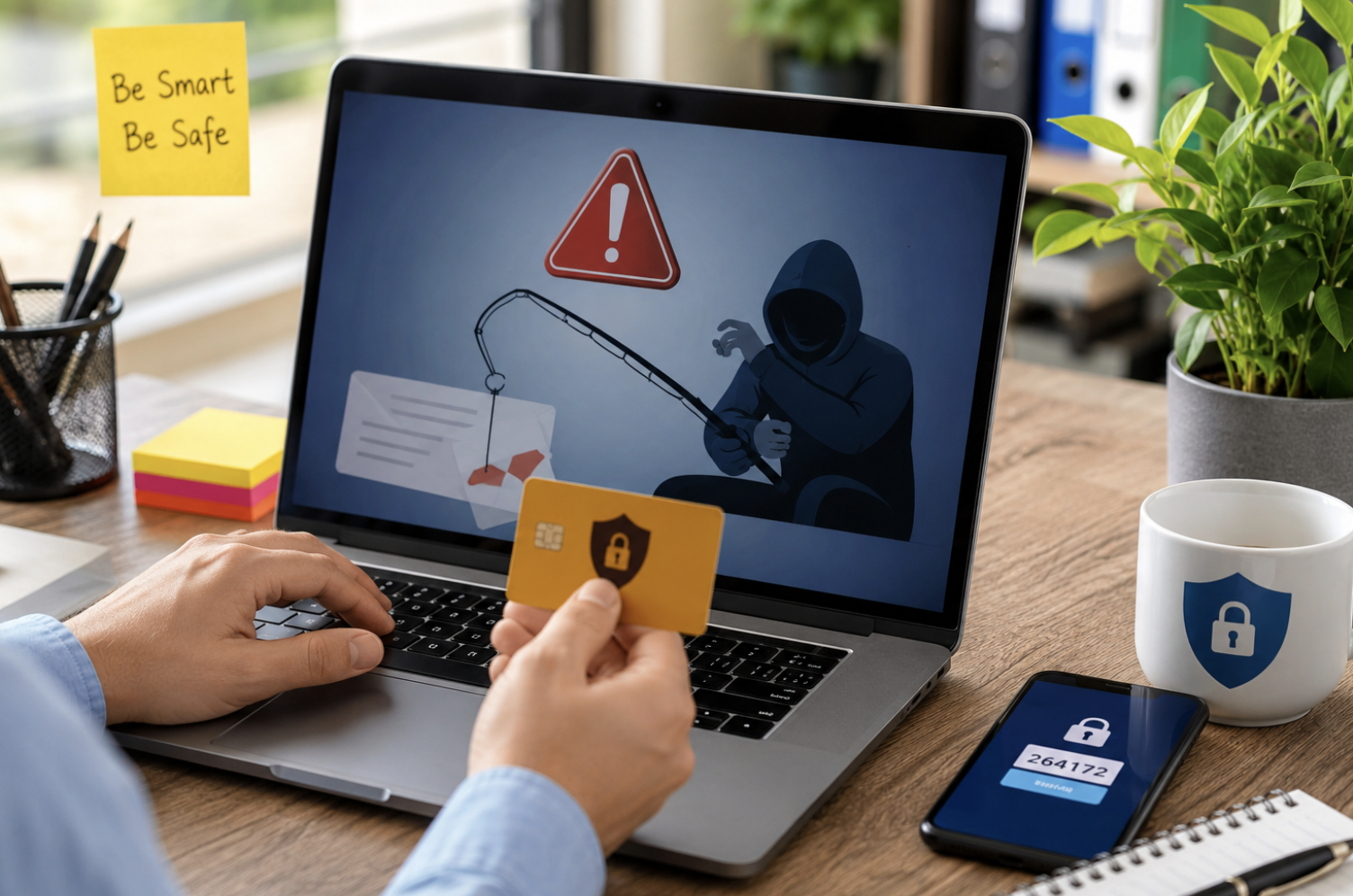
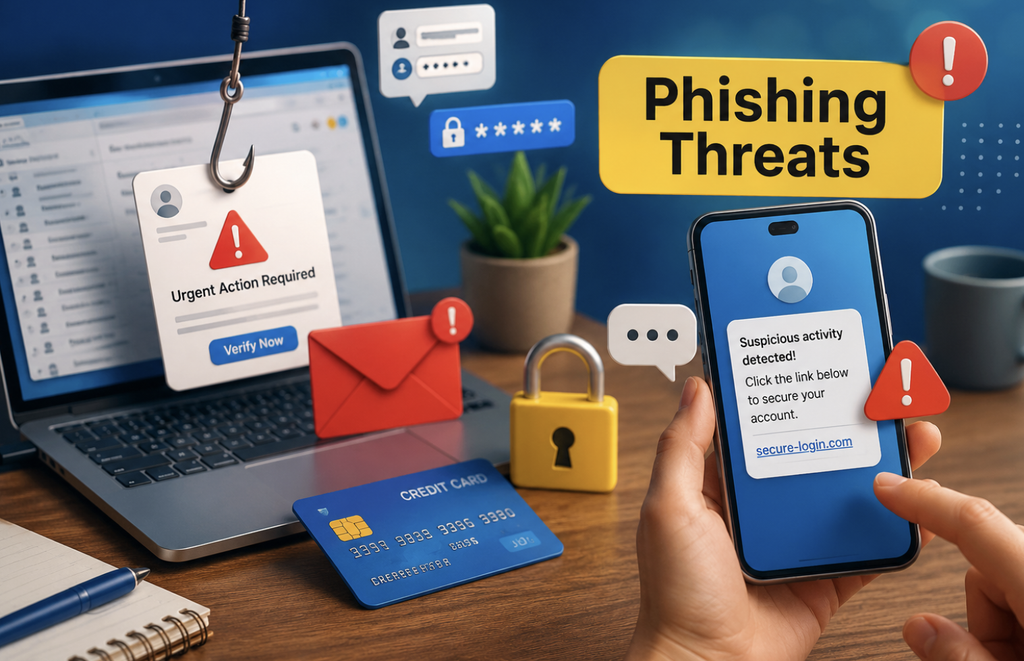
A message lands in your inbox with your bank’s logo and an alarming warning. Your account supposedly needs immediate verification. One click appears to solve everything. However, that innocent-looking click could hand your information to a cybercriminal. This is the danger of a phishing attack. Unlike movie-style hacking, phishing often depends on psychology rather than advanced technical skills. Scammers create believable situations that encourage people to act before thinking.
Moreover, modern phishing scams can look polished, personalized, and surprisingly authentic. Artificial intelligence has also made it easier to create convincing messages at scale.
Therefore, understanding phishing has become an essential part of staying safe online. This guide explains how phishing attacks work, the warning signs to recognize, newer phishing techniques, and practical ways to protect your accounts and personal information.
What Is a Phishing Attack?
A phishing attack is a form of cybercrime that uses deception to obtain sensitive information or trigger an unsafe action. Instead of directly breaking through security, attackers often manipulate their targets into cooperating with them. They may impersonate banks, employers, retailers, government services, delivery companies, social networks, or technology providers.
For example, a scammer might send a message claiming that your payment failed. The message then provides a link for updating your billing information. That link may lead to a fake website.
The website can closely imitate a legitimate service. If you enter your credentials, the attacker may receive them. Phishing can target passwords, payment details, authentication codes, personal information, and business credentials.
However, the objective is not always information theft. Some attacks attempt to install malware, redirect payments, or gain access to corporate systems.
How Does a Phishing Attack Work?
Most phishing campaigns follow a recognizable psychological pattern.
- First, the attacker chooses a believable identity.
- Next, they create a convincing message around a specific situation.
- Then, they introduce pressure, curiosity, fear, or a tempting reward.
- Finally, they encourage the victim to perform an action.
That action might involve clicking a link, opening an attachment, entering credentials, approving a login, or transferring money. The attacker depends on the victim completing the final step. Consequently, recognizing the manipulation early can stop the attack before technical damage occurs.
Why Are Phishing Attacks So Effective?
Phishing works because scammers exploit predictable human reactions.
Fear Creates Fast Decisions
A warning about unauthorized activity can immediately attract attention. People naturally want to protect their accounts. Therefore, they may click first and investigate later.
Urgency Reduces Careful Thinking
Scammers often create artificial deadlines. They may claim that an account will close within hours. However, legitimate services usually provide safer ways to verify important account notices.
Familiar Brands Create Trust
Attackers frequently copy recognizable logos and communication styles. They may also imitate the names of real employees. As a result, the message can appear familiar at first glance.
Curiosity Encourages Interaction
A mysterious attachment or unusual notification can tempt someone to investigate. That reaction can become the starting point of an attack.
Rewards Encourage Impulsive Actions
Fake refunds, prizes, discounts, and job opportunities can also attract victims. The stronger the emotional reaction, the less likely someone may be to verify the request.
Common Types of Phishing Attacks
Phishing exists across email, messaging platforms, websites, phone calls, and social networks.
Email Phishing
Email phishing uses fraudulent messages that imitate legitimate organizations. These emails may contain links, attachments, payment requests, or login prompts. They often target large numbers of recipients.
Smishing Attacks
Smishing combines phishing with SMS messaging. A scammer may claim that a package cannot be delivered without a small payment.
The message can include a fraudulent tracking link. Because people often trust familiar-looking text notifications, smishing remains dangerous.
Vishing Attacks
Vishing uses voice calls instead of written messages. A caller may impersonate a bank employee, technical support agent, or company representative.
They may request passwords, verification codes, or payment information. Never assume a caller is legitimate simply because they know some information about you.
Spear Phishing
Spear phishing targets specific individuals. Attackers may research their targets before creating personalized messages.
For instance, an attacker could imitate a colleague and reference a real project. This personalization can make the scam harder to recognize.
Whaling
Whaling targets senior executives and other high-value individuals. Attackers may attempt to obtain confidential information or authorize financial transactions. Businesses can suffer significant losses when these attacks succeed.
Clone Phishing
Clone phishing copies a legitimate message that the recipient may recognize. The attacker creates a similar version with altered links or attachments.
Because the original communication seems familiar, the fraudulent version may appear trustworthy.
Search Engine Phishing
Some attackers create fraudulent websites designed to appear in search results. Users may discover these pages while searching for customer support or account services. Therefore, checking the website address remains important.
What Are the Warning Signs of Phishing?
No single warning sign identifies every scam. However, several clues should make you pause.
Unexpected Requests
Be cautious when a message suddenly asks you to log in, pay money, or provide personal information. Verify the request independently before responding.
Pressure to Act Immediately
Urgent language deserves extra attention. Statements about immediate account closure or payment failure can create unnecessary panic.
Suspicious Website Addresses
Look carefully at the domain name. Scammers may use addresses containing extra words, unusual characters, or misleading spellings.
A familiar company name within a URL does not automatically make the website legitimate.
Unexpected Attachments
Treat unexpected files carefully. Invoices, documents, receipts, and spreadsheets can potentially contain malicious content.
Requests for Authentication Codes
Never assume a verification code is harmless. If you did not initiate a login, payment, or account change, investigate before sharing any code.
Unusual Payment Requests
Be particularly careful when someone asks you to change payment details. Businesses should independently verify financial changes through trusted communication channels.
How AI Is Making Phishing More Convincing
Artificial intelligence is changing the phishing landscape. Previously, poorly written messages often exposed scams. Today, attackers can use AI-assisted tools to create more natural language. They can also customize messages for different audiences.
Consequently, grammar and spelling alone cannot reliably identify modern phishing. AI may also help attackers generate variations of the same campaign. This allows scammers to target more people with less manual effort.
Therefore, context has become increasingly important. Ask whether the request makes sense. Consider whether you expected the communication. Then, verify the sender independently.
New Phishing Threats You Should Know
Phishing techniques continue to evolve beyond traditional emails.
QR Code Phishing
QR code phishing, sometimes called quishing, uses fraudulent QR codes. The code may appear on a poster, email, message, or document. Scanning it can redirect users to a deceptive website. Always check the destination before entering sensitive information.
MFA Fatigue Attacks
Attackers may repeatedly send authentication requests to a target. Eventually, the person may approve one simply to stop the notifications.
This technique can exploit legitimate authentication systems. If an authentication request appears unexpectedly, don’t approve it. Instead, deny the request and check what caused it.
Business Email Compromise
Business email compromise involves impersonating trusted business contacts. Attackers may request invoices, payments, sensitive documents, or account changes.
These attacks can cause serious financial damage. Organizations should independently verify unusual financial instructions.
Social Engineering Through Messaging Apps
Scammers increasingly use messaging platforms to establish trust. They may begin with casual conversation before introducing a fraudulent request. Therefore, familiarity should never replace verification.
How to Avoid Phishing Attacks
Strong cybersecurity habits can significantly reduce your exposure.
Verify Messages Independently
Do not rely on contact information provided by a suspicious message. Instead, visit the organization’s official website manually. You can also use a trusted app or previously verified contact method.
Avoid Clicking Unexpected Links
If a message seems unusual, avoid using its links. Type the official website address yourself or open the legitimate application. This simple habit can prevent many credential theft attempts.
Use Multi-Factor Authentication
Multi-factor authentication provides additional protection beyond passwords. Where available, consider stronger methods such as passkeys or hardware security keys.
However, remember that attackers may still attempt to manipulate users into approving authentication requests.
Create Unique Passwords
Never reuse important passwords across multiple services. A password manager can help generate and store unique credentials. Consequently, one compromised password is less likely to affect several accounts.
Keep Software Updated
Update your operating system, browser, applications, and security tools regularly. Security updates can address known vulnerabilities. Automatic updates can make this process easier.
Protect Your Email Account
Your email account deserves special attention. Attackers who access your email may attempt password resets for other services. Use strong authentication and review recovery settings regularly.
Limit Information Shared Online
Public information can help attackers create convincing scams. Avoid unnecessarily exposing personal details such as workplace information, travel plans, or contact information. Attackers can combine small details into believable stories.
Clicked a Phishing Link? Here’s What You Should Do Next
- First, remain calm.
- The consequences depend on what happened after the click.
- If you only opened the page, close it without entering information.
- If you entered your password, change it right away using the service’s official website or app.
- If you reused that password elsewhere, update those accounts too.
- If you downloaded a suspicious file, avoid opening it.
- Run an appropriate security scan and follow your device provider’s security guidance.
If you shared any financial details, contact your bank or financial provider directly using an official contact method. Also, monitor affected accounts for unusual activity. Quick action can reduce the potential impact.
What If You Gave Away a Verification Code?
- Treat an exposed authentication code seriously.
- Contact the affected service through its official support channel.
- Change your password if appropriate.
- Review recent login activity and account settings.
- Also, look for unfamiliar devices, sessions, recovery methods, or security changes.
If you approved an unexpected authentication request, explain that clearly to the service provider. The faster you respond, the better your chances of limiting unauthorized access.
How Businesses Can Reduce Phishing Risks
Organizations need more than employee warnings. They should combine technical controls with practical security training. Email filtering can reduce exposure to obvious threats. Multi-factor authentication can strengthen account protection. Access controls can limit what compromised accounts can reach.
Regular backups can support recovery from related attacks. Security awareness training can teach employees how to recognize suspicious behavior.
Moreover, employees should have an easy reporting process. A workplace becomes safer when people can report mistakes without fear.
Phishing and Malware Are Not the Same
Phishing and malware often appear together, but they represent different threats. Phishing focuses on deception. Malware refers to malicious software. A phishing message may deliver malware through an attachment. Alternatively, it may steal credentials through a fake login page.
Therefore, phishing does not always require malware. Likewise, malware does not always begin with phishing. Understanding this distinction helps users recognize different attack paths.
Can Antivirus Software Prevent Phishing?
Security software can detect certain malicious websites and files. However, no security product can identify every deceptive message. A legitimate-looking phishing page may not contain obvious malicious software.
Therefore, personal judgment remains important. The strongest approach combines security software with cautious online behavior.
How to Check Whether a Message Is Genuine
When a suspicious message arrives, pause before doing anything.
- First, identify what the sender wants.
- Next, ask whether you expected that request.
- Then, inspect the sender and destination carefully.
- Avoid contacting the sender through information provided in the suspicious message.
Instead, use an independently verified website, application, or phone number. If the request involves money, verify it through another communication channel. This process adds friction, but that friction can prevent expensive mistakes.
The Future of Phishing Attacks
Phishing will likely become more personalized and automated. Attackers can already combine social engineering with stolen information and automation.
Future campaigns may become increasingly difficult to distinguish from genuine communication. However, the fundamental defense remains surprisingly simple.
Pause.
Question unexpected requests. Verify important information independently. Protect accounts with strong authentication. Keep devices updated. Most importantly, never let urgency make your security decisions.
Conclusion
A phishing attack does not always look suspicious. Sometimes, it looks like a normal email, text message, phone call, or login notification. That is precisely what makes phishing dangerous. Attackers rely on trust, urgency, curiosity, fear, and convenience.
Meanwhile, modern technology can make fraudulent messages increasingly convincing. Nevertheless, you can greatly reduce your risk with a few consistent habits. Avoid unexpected links and attachments. Verify important requests through official channels. Use unique passwords and strong authentication. Keep your software updated.
Also, pay close attention to unexpected authentication prompts. When a message demands immediate action, slow down. That short pause may be the most valuable security habit you develop.
Frequently Asked Questions
1. What is a phishing attack?
A phishing attack tricks people into revealing information or performing an unsafe action.
2. What is the biggest warning sign of phishing?
Unexpected urgency combined with requests for sensitive information is a major warning sign.
3. Can phishing happen through text messages?
Yes, scammers use SMS messages in attacks commonly known as smishing.
4. Can phishing happen through phone calls?
Yes, voice-based phishing attacks are known as vishing.
5. Can clicking a phishing link hack your device?
A click does not automatically compromise your device, but the website may create security risks.
6. Should I reply to a suspicious email?
No, verify the sender through an independently trusted communication channel instead.
7. Can AI make phishing scams more dangerous?
Yes, AI can help attackers create convincing and personalized fraudulent messages.
8. Should I share an authentication code with a caller?
No, never share unexpected authentication codes with people who contact you.
9. What should I do after entering my password on a fake website?
Change the password immediately through the legitimate service and update reused passwords elsewhere.
10. Can antivirus software stop every phishing attack?
No, security software helps but cannot replace careful verification and safe online habits.
11. What is spear phishing?
Spear phishing targets specific people using personalized information to make fraudulent messages more believable.
12. What is QR code phishing?
QR code phishing uses fraudulent QR codes to redirect victims toward deceptive websites.
13. Why do scammers create urgency?
Urgency encourages people to react emotionally before they have time to verify the request.
14. Is poor grammar always a sign of phishing?
No, modern phishing messages can be professionally written and grammatically correct.
15. How can businesses reduce phishing risks?
Businesses should combine employee training, strong authentication, access controls, filtering, and clear reporting procedures.