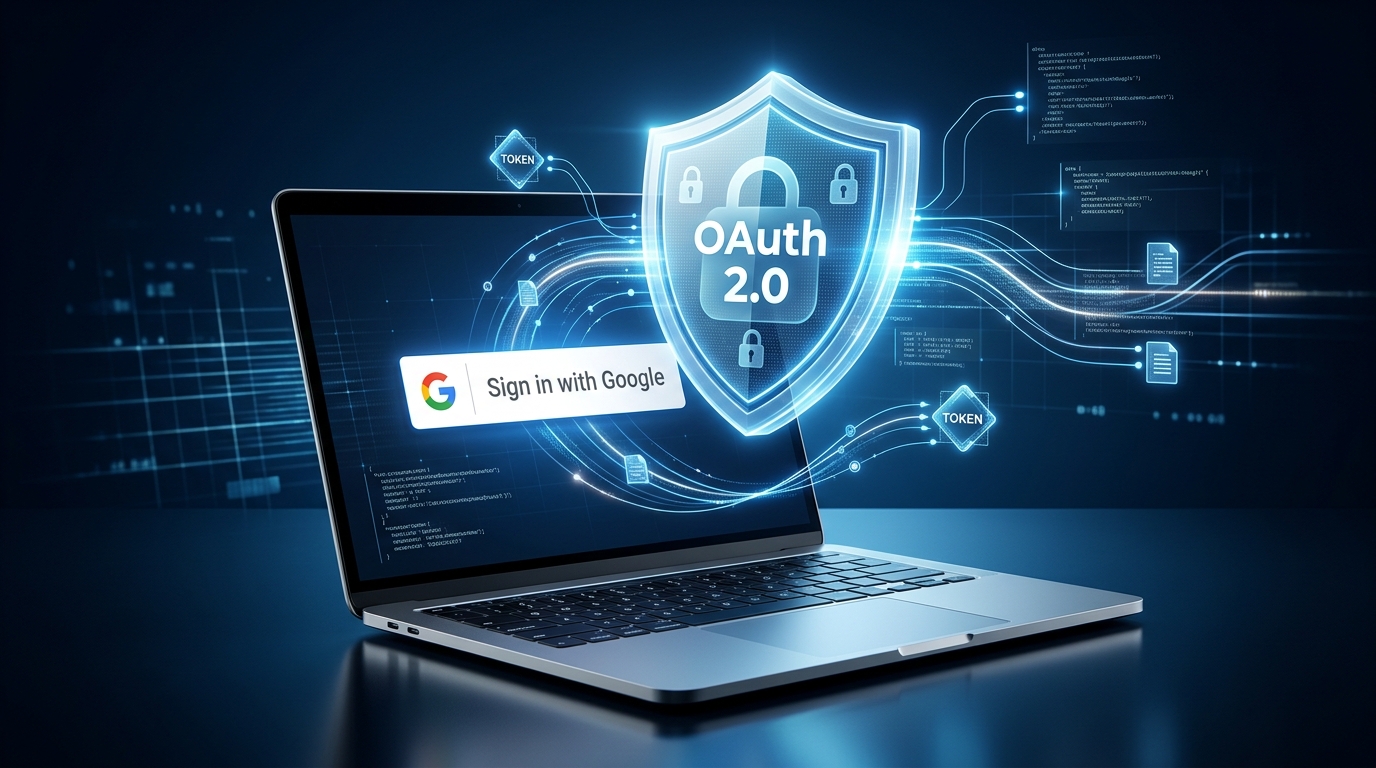
How OAuth 2.0 Protects You Every Time You Click Sign In With Google
You’ve probably clicked “Sign in with Google” hundreds of times without thinking much about what happens next. The process looks almost too easy: click a button, choose your Google account, approve access if necessary, and you’re inside the website.
But behind that simple experience is a carefully designed security process.
One of the key technologies involved is OAuth 2.0. It allows an application to request limited access to information or services without asking you to give the application your Google password. Google handles your account authentication, while the application receives the credentials or tokens it needs to perform an approved action.
That separation is important.
Imagine creating an account on dozens of websites and giving every one of them your Google password. If one of those websites were compromised, your password could potentially be exposed. OAuth 2.0 changes the model by allowing authorization to happen without handing your Google password to every third-party application.
However, OAuth 2.0 isn’t a magic security shield. Developers still need to configure redirect URLs, tokens, authentication, session management, and other security controls correctly.
So, how does OAuth 2.0 protect you when you click Sign in with Google?
Let’s break the process down step by step.
What Is OAuth 2.0?
OAuth 2.0 is an authorization framework that allows an application to obtain limited access to a service on a user’s behalf.
The important word here is authorization.
Authorization answers the question:
“What is this application allowed to access?”
Authentication is slightly different. Authentication answers:
“Who are you?”
When you use Google’s modern identity services, technologies such as OpenID Connect work alongside OAuth concepts to handle identity. OAuth 2.0 itself is primarily about delegated authorization.
For example, suppose you use an application that needs permission to access selected Google services. Instead of giving the application your Google username and password, you are redirected to Google’s authorization system.
Google authenticates you and asks whether you want to grant the requested permissions.
If you approve, Google can issue credentials that the application can use according to the permissions you granted.
This creates an important security boundary.
Your password remains between you and Google rather than being copied into every application you use.
OAuth 2.0 vs Password Login
Traditional password authentication usually looks like this:
- You enter your email.
- You enter your password.
- The website verifies the credentials.
- The website creates your session.
With a third-party identity provider, the process is different.
The website sends you to the identity provider. The provider handles your authentication and returns a credential or authorization result to the application.
This has several advantages.
First, the third-party website doesn’t need to know your Google password.
Second, the identity provider can provide additional security controls around your account, such as multi-factor authentication.
Third, authorization can be limited.
A website doesn’t automatically receive unlimited access to everything in your Google account simply because you clicked a button.
The application requests particular permissions, and the authorization server determines what can be granted.
Who Is Involved in OAuth 2.0?
OAuth 2.0 becomes much easier to understand when you know the main participants.
1. You: The Resource Owner
You are the person who owns or controls the account and decides whether an application should receive access.
2. The Client
The client is the application or website asking for access.
For example, an online productivity application might ask to connect to your Google account.
3. The Authorization Server
The authorization server handles authentication and authorization.
In the Google ecosystem, Google’s authorization infrastructure performs this role.
4. The Resource Server
The resource server hosts the protected information or API that the client wants to access.
These roles create separation between your credentials, the application requesting permission, and the protected resources.
How Sign in With Google Works
The exact technical flow can vary depending on whether you’re using the Sign in with Google button, One Tap, an OAuth API flow, a mobile application, or another implementation.
But the basic idea is straightforward.
You begin on a website.
The website identifies itself using its configured Google client information. You then interact with Google’s sign-in or authorization experience.
Google handles the account selection and authentication process.
After successful authentication and any required consent, Google provides a credential to the website.
The website verifies that credential before creating or continuing your local session.
The result is a login experience that feels like a single click but actually involves several security checks.
Step 1: You Click the Sign-In Button
The process begins when you select Sign in with Google.
The website doesn’t simply receive your Google password.
Instead, the website initiates a flow involving Google’s identity services.
The request can contain information identifying the application and the type of access being requested.
This is where configuration becomes extremely important.
A properly configured application has registered information such as its client ID and approved redirect or login destinations.
These settings help Google determine which application is making the request and where the response is allowed to go.
Step 2: Google Handles Your Login
Google handles the authentication part of the process.
If you aren’t already signed in, you may be asked to sign in to your Google Account.
You may also have additional account-security steps enabled.
The third-party website doesn’t need to see your Google password.
That’s a major difference from a system where every website independently collects your credentials.
This separation can reduce the number of places where your primary password needs to be entered.
It also allows Google to apply its own account security controls before completing the authentication process.
Step 3: Google Shows Consent and Permissions
Depending on the flow, Google may show information about what the application wants.
This is an important part of OAuth 2.0.
An application may request access to specific information or services rather than receiving unrestricted access.
These permissions are commonly represented through scopes.
For example, an application may request access to certain profile information or a particular Google API.
The concept is similar to giving someone a key that opens one door instead of handing them the master key to an entire building.
You should still read permission requests carefully.
If a simple application requests access that seems unrelated to its purpose, that’s worth investigating before approving anything.
Step 4: The Authorization Code Adds Another Security Layer

In an OAuth authorization-code flow, the authorization server can return a temporary authorization code instead of immediately exposing a long-lived credential through the browser.
The application then exchanges that code for tokens through the appropriate token endpoint.
This separation is useful because an authorization code is temporary and designed for a specific exchange.
OAuth security guidance also emphasizes protections against authorization-code interception and injection.
Modern OAuth best practices strongly favor PKCE, particularly for public clients such as browser-based applications.
That brings us to one of the most important security mechanisms in modern OAuth.
Step 5: Tokens Control What Happens Next
OAuth commonly uses tokens rather than repeatedly sending your password.
An access token represents authorization to access particular protected resources within its permitted scope.
The token doesn’t mean:
“This application now owns my Google Account.”
Instead, it represents a specific authorization.
A separate ID token is used in OpenID Connect to communicate information about the authenticated user.
This distinction is important because OAuth and OpenID Connect solve related but different problems.
Think of the difference like this:
| Credential | Main Purpose |
| Password | Proves control of an account directly to the identity provider |
| Authorization Code | Temporary value used during an authorization flow |
| Access Token | Allows authorized access to protected resources |
| ID Token | Communicates authenticated identity information in OpenID Connect |
| Refresh Token | Can help obtain new access tokens when supported and appropriate |
Because tokens can provide access to protected resources, they must be handled carefully.
A stolen access token can be valuable to an attacker even though the attacker never knows your password.
The Role of PKCE in OAuth 2.0 Security
PKCE, pronounced “pixy,” stands for Proof Key for Code Exchange.
It was designed to address authorization-code interception attacks and has become an important security mechanism for modern OAuth clients.
Here’s the simple idea.
The application creates a random secret called a code verifier.
It derives a challenge from that verifier and sends the challenge during the authorization request.
Later, when the application exchanges the authorization code, it provides the original verifier.
The authorization server can compare the values.
If an attacker steals the authorization code but doesn’t possess the original verifier, the attacker shouldn’t be able to successfully redeem that code.
In other words, PKCE binds the authorization process to the client instance that started it.
Current OAuth security guidance recommends PKCE broadly and requires it for public clients in relevant authorization-code flows.
This is one reason modern OAuth security is much stronger than simply passing credentials through a browser URL.
Redirect URI Security
Redirect URIs are another critical part of OAuth security.
After you authenticate, the authorization server needs to know where the response should go.
A poorly configured redirect can create serious problems.
For this reason, OAuth implementations should use carefully registered redirect URIs rather than accepting arbitrary destinations.
Google’s Sign in with Google documentation also requires configured login or redirect destinations to match the appropriate client configuration.
This helps prevent attackers from manipulating the flow and sending sensitive authorization responses somewhere they shouldn’t go.
HTTPS Protects Data During Transmission
OAuth doesn’t replace basic web security.
HTTPS remains essential.
When your browser communicates with Google or your application, encrypted HTTPS connections help prevent attackers on the network from simply reading the communication.
Without transport encryption, sensitive information could be exposed or modified while moving between systems.
That’s why secure OAuth deployments use HTTPS for relevant endpoints and redirect destinations.
Think of HTTPS as the secure road on which the OAuth process travels.
OAuth controls the authorization journey, while HTTPS helps protect the communication moving along that journey.
Limited Permissions Reduce Potential Damage
One of OAuth 2.0’s most useful ideas is scoped access.
An application should request only the permissions it actually needs.
This is called the principle of least privilege.
Suppose an application only needs basic account information.
It shouldn’t automatically request access to unrelated private data.
The smaller the permission set, the smaller the potential impact if the application’s credentials are misused.
This doesn’t mean every permission request is dangerous.
Some applications genuinely need broad permissions to perform their advertised functions.
The important question is whether the requested access matches the application’s purpose.
Users should pay attention to permission screens instead of blindly clicking “Allow.”
Common OAuth 2.0 Attacks
OAuth is designed to reduce several security risks, but attackers still look for weaknesses in implementations.
Authorization Code Interception
An attacker may attempt to obtain an authorization code before the legitimate client can redeem it.
PKCE provides an important defense by requiring the correct verifier.
Authorization Code Injection
An attacker may attempt to make a client accept an authorization code that wasn’t generated for the legitimate transaction.
Modern OAuth security guidance recommends protections such as PKCE and appropriate OpenID Connect mechanisms.
Cross-Site Request Forgery
CSRF attacks can manipulate authentication or authorization flows if an application doesn’t properly bind responses to the session that initiated the request.
State parameters, PKCE, and OpenID Connect nonce mechanisms can provide relevant protections depending on the architecture.
Open Redirect Attacks
An improperly designed redirect endpoint may allow attackers to redirect users or authorization responses to an unintended destination.
Careful redirect URI registration and validation help reduce this risk.
Token Theft
Even if OAuth is configured correctly, an attacker who obtains a usable token may attempt to use it.
That’s why tokens should be protected like sensitive credentials.
Developers should avoid unnecessarily exposing tokens to browser scripts, logs, URLs, or third parties.
Phishing
OAuth cannot automatically stop a user from entering credentials into a fake website.
A phishing page may imitate a legitimate sign-in experience.
Always check the domain and be cautious about unexpected login requests.
What OAuth 2.0 Does Not Protect
It’s easy to think OAuth 2.0 makes every login completely safe.
It doesn’t.
OAuth is a framework. Its security depends heavily on implementation.
For example, a developer could create an insecure application that stores tokens improperly, fails to validate identity tokens, uses unsafe redirect logic, or exposes credentials through logs.
OAuth also doesn’t protect your device from malware.
If an attacker controls your browser or computer, they may potentially interact with an already authenticated session.
Likewise, OAuth doesn’t make phishing impossible.
It reduces certain classes of credential-sharing and authorization attacks, but normal security awareness still matters.
Why Google Login Can Be Safer Than Reusing Passwords
One of the biggest benefits of using a trusted identity provider is reducing password reuse.
Imagine using the same password on ten different websites.
If one website suffers a credential breach, attackers may try the stolen password on other services.
A centralized identity system can reduce this problem because third-party applications don’t need to receive your primary Google password.
You can also use Google’s account-security features in one place.
That doesn’t mean every website offering Google login is automatically trustworthy.
The application can still collect other information, track activity, or mishandle tokens.
So the security benefit is strongest when the identity provider and application both follow good security practices.
OAuth 2.0 Security Best Practices for Developers
Developers implementing OAuth should treat security as part of the architecture rather than something added at the end.
Important practices include:
Use Authorization Code Flow Where Appropriate
Modern applications should use authorization flows recommended for their platform rather than relying on outdated patterns.
Use PKCE
PKCE provides strong protection against authorization-code interception and injection.
Validate Tokens
Applications should verify relevant token properties such as issuer, audience, signature, and expiration when validating identity tokens.
Register Exact Redirect Destinations
Avoid accepting arbitrary redirect URLs.
Use HTTPS
Authentication and authorization endpoints should use secure transport.
Request Minimal Scopes
Don’t request access that the application doesn’t actually need.
Protect Tokens
Don’t place sensitive tokens in URLs, public logs, or insecure client-side storage without a clear security reason.
Use Established Libraries
OAuth implementations can become surprisingly complicated.
Google recommends using OAuth libraries rather than building every security component from scratch.
That isn’t just about convenience. Mature libraries can help developers avoid common implementation mistakes.
A Simple Example of the Complete Flow
Imagine you visit a project-management website called TaskFlow.
You select Sign in with Google.
The process may look like this:
- TaskFlow starts a Google sign-in or authorization request.
- Your browser interacts with Google’s identity service.
- Google identifies the account you’re using.
- You authenticate with Google if necessary.
- Google obtains any required consent.
- Google returns the appropriate credential or authorization result.
- TaskFlow validates the received information.
- TaskFlow creates its own session for you.
- You enter your dashboard.
Notice what’s missing.
TaskFlow never needs to ask:
“What is your Google password?”
That’s the central security idea behind delegated authentication and authorization.
How Users Can Stay Safer
You don’t need to understand every OAuth endpoint to use online services safely.
A few habits can make a meaningful difference.
First, check the website you’re signing into.
Second, read unusual permission requests.
Third, don’t approve unexpected authentication prompts.
Fourth, keep your Google Account protected with strong security controls.
Fifth, review connected applications periodically and revoke access you no longer need.
Finally, be cautious when an application asks for permissions that don’t seem related to its core purpose.
Security isn’t only about complicated cryptography.
Sometimes, it’s simply about stopping for five seconds before clicking Allow.
Conclusion
The next time you click Sign in with Google, remember that the simple button hides a surprisingly sophisticated security process.
OAuth 2.0 helps applications request limited access without requiring them to collect your primary Google password. Authorization codes, tokens, scopes, redirect URI controls, HTTPS, and modern protections such as PKCE all contribute to the security model.
The most important idea is separation.
Google handles your account authentication. The application receives only the credentials or permissions it needs. The two systems can communicate without the application needing to know your Google password.
Still, OAuth isn’t a magic shield. Developers must implement it correctly, and users should pay attention to permissions and suspicious login requests.
When these pieces work together, Sign in with Google can provide a convenient authentication experience while reducing some of the risks associated with password sharing and reuse.
Frequently Asked Questions
Is OAuth 2.0 the same as Sign in With Google?
No. OAuth 2.0 is an authorization framework, while Sign in with Google is a Google identity service that uses identity technologies including OpenID Connect. OAuth concepts can also be used when applications request access to Google APIs.
Does Sign in With Google give a website my Google password?
No. A properly implemented Sign in with Google flow does not require the third-party website to receive your Google password. Google handles authentication and provides the application with an appropriate credential or authorization result.
Can OAuth 2.0 prevent phishing?
No. OAuth can protect against certain authorization and credential-handling attacks, but it cannot completely prevent phishing. Users should still check websites and be cautious about unexpected login requests.
What is PKCE in OAuth 2.0?
PKCE means Proof Key for Code Exchange. It adds a verifier and challenge to the authorization-code process so that a stolen authorization code cannot normally be redeemed without the corresponding verifier.
Are OAuth access tokens passwords?
They aren’t passwords, but they should still be treated as sensitive credentials. Depending on their scope and permissions, a stolen access token could allow an attacker to access protected resources.
Why does Google ask me to approve permissions?
The permission screen helps explain what information or services an application is requesting. OAuth uses scopes to represent requested access. Reviewing these permissions helps you understand what you’re allowing an application to do.
Is OAuth 2.0 completely secure?
No technology is completely secure. OAuth 2.0 provides a framework and security mechanisms, but the final security level depends on correct implementation, secure token handling, redirect URI protection, HTTPS, PKCE, identity validation, and other controls.
Can I remove an application’s Google access?
Yes. Google provides ways for users to review and revoke application access or consent. Removing access can prevent an application from continuing to use previously granted permissions, although it doesn’t necessarily delete information the application already stored.