
What to Do When Your Online Store Stops Taking Payments
Running an online store is exciting until something suddenly goes wrong. One of the most stressful situations for any business owner is discovering that customers can no longer complete their purchases. A payment failure can happen because of a payment gateway outage, a checkout error, incorrect configuration, security restrictions, or an issue with your payment processor account.
Even a short payment interruption can affect sales, customer satisfaction, and brand reputation. When shoppers are ready to buy but cannot complete checkout, many will leave and may not return. That is why having a clear troubleshooting process is essential for every eCommerce business.
The good news is that most payment problems can be identified and resolved by following a structured approach. By checking your payment provider, website configuration, security settings, and transaction records, you can usually narrow down the cause and restore normal operations.
This guide explains why online stores stop accepting payments, what steps you should take immediately, and how to prevent similar issues in the future.
Recognize the Problem Early
Before making changes, confirm that there is actually a payment problem. Sometimes a single customer may experience a failed transaction because of their card provider, internet connection, or browser settings.
Start by testing your checkout process yourself. Try completing a purchase using:
- Different browsers
- Mobile and desktop devices
- Multiple payment methods
- Different internet connections
Ask a team member or trusted customer to test the checkout process as well. Real customer behavior can reveal issues that may not appear during internal testing.
Common warning signs include:
- Multiple customers reporting failed payments
- A sudden decrease in completed orders
- A rise in abandoned carts
- Error messages appearing during checkout
- Notifications from your payment provider
- Unusual drops in payment success rates
Detecting the problem early allows you to respond before it causes significant revenue loss.
From my experience writing about eCommerce technology and helping businesses troubleshoot online store issues, I have seen payment failures often occur after seemingly small changes, such as installing a new plugin or updating checkout software. In one case, a store owner discovered that a payment gateway stopped working immediately after a plugin update because the new version conflicted with the existing API connection. Restoring compatibility and updating the configuration solved the issue.
Check Your Payment Gateway Status
Many online payment failures are caused by problems with the payment gateway itself rather than the store.
Payment gateways occasionally experience:
- Temporary service outages
- Scheduled maintenance
- API interruptions
- Security reviews
- Account verification delays
Access your payment provider’s dashboard to review key details:
- Service status alerts
- Account notifications
- Failed transaction reports
- API connection warnings
- Security-related messages
If the payment provider is experiencing downtime, avoid making unnecessary website changes. Sometimes the best solution is simply waiting for the provider to restore service.
You should also check the official status page of your payment provider, as many companies publish real-time outage information there.
Verify Your Store’s Technical Setup
Website updates can sometimes create unexpected conflicts with payment systems. A new theme, plugin, extension, or custom code change may interfere with checkout functionality.
Review any recent changes, including:
| Area | What to Check |
| Website Updates | Recently installed themes, plugins, or extensions |
| Payment Plugin | Compatibility and latest version |
| SSL Certificate | Valid HTTPS connection |
| API Keys | Correct production credentials |
| Checkout Page | Errors, broken fields, or loading problems |
If payments stopped working immediately after an update, consider temporarily disabling the recent change or restoring a previous version.
For WooCommerce, Shopify, Magento, and other eCommerce platforms, compatibility issues between payment extensions and website updates are relatively common. Testing changes on a staging website before applying them to a live store can reduce the risk of unexpected checkout problems.
Confirm SSL Certificate and Website Security
Security is a major requirement for online payments. Payment providers use encryption and security checks to protect sensitive customer information.
If your SSL certificate expires or becomes incorrectly configured, payment systems may reject transactions or display security warnings.
Check:
- Whether your website loads with HTTPS
- Whether browsers show a valid security lock icon
- Whether checkout pages contain mixed-content warnings
- Whether your SSL certificate is active
A secure website is also important for meeting payment industry requirements, including standards such as the Payment Card Industry Data Security Standard (PCI DSS).
Regularly monitoring your website security helps prevent payment interruptions caused by expired certificates or configuration problems.
Review Your Payment Processor Account
Not every payment problem is technical. Sometimes payment processors restrict transactions because of account-related issues.
Common reasons include:
- Unusual transaction patterns
- Increased chargebacks
- Missing business documents
- Identity verification requirements
- Compliance reviews
- Banking information issues
Log in to your merchant dashboard and look for requests involving:
- Business verification
- Tax information
- Identity documents
- Bank account confirmation
- Additional compliance checks
Responding quickly can help reduce the time your account remains restricted.
Test Multiple Payment Methods
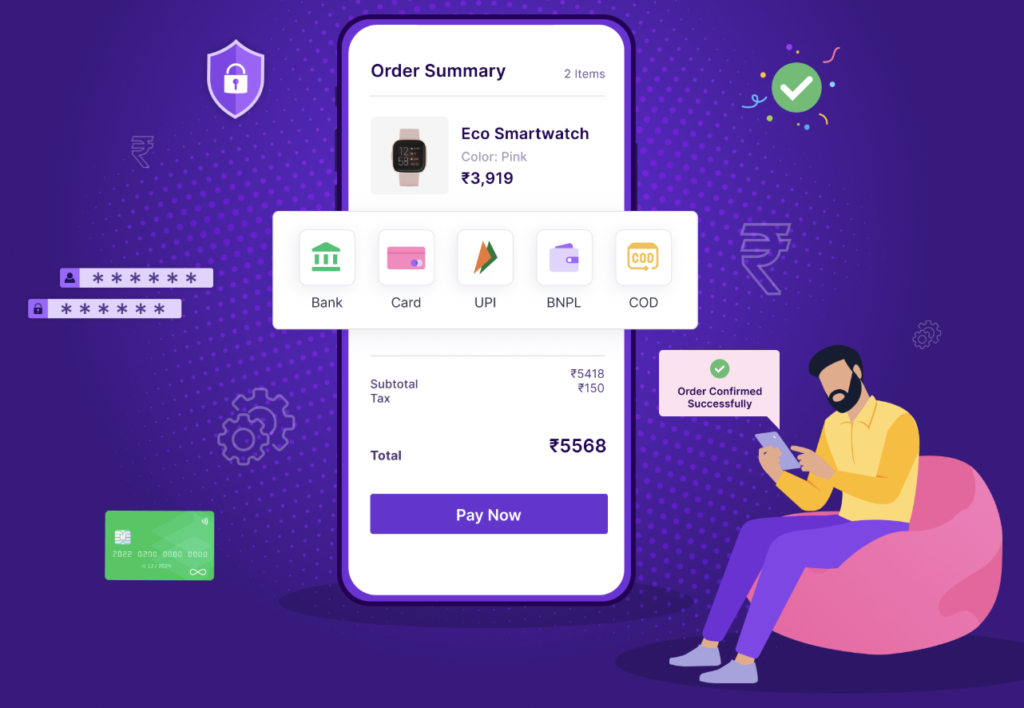
Customers expect convenient payment options. If one payment method fails, offering alternatives can prevent lost sales.
Test:
- Credit cards
- Debit cards
- Digital wallets
- Bank transfers
- Buy Now, Pay Later options
For example, if credit card payments are failing but digital wallets are working, you can temporarily highlight alternative payment options while investigating the main issue.
Using multiple payment providers can also improve reliability by creating backup options during unexpected outages.
Review Error Logs
Error logs provide valuable information about what is happening behind the scenes.
Your eCommerce platform, hosting provider, payment plugin, and payment gateway usually record technical details about failed transactions.
Look for:
- API authentication errors
- Invalid credentials
- Timeout failures
- Payment token problems
- Database connection errors
- Plugin conflicts
When contacting technical support, include these details:
- Error messages
- Transaction IDs
- Time of failure
- Screenshots
- Recent website changes
Providing detailed information helps developers and payment providers diagnose problems faster.
Communicate With Customers
When payments stop working, communication becomes extremely important.
Customers may become frustrated if they repeatedly attempt purchases without knowing what is happening.
Consider:
- Adding a temporary notice to your website
- Informing customers through email
- Posting updates on social media
- Providing alternative payment options
A simple message such as “We are currently resolving a payment issue and appreciate your patience” can maintain customer confidence.
Clear communication is essential when customers face problems during the buying process. Businesses can also improve customer follow-ups by using automated communication systems. Learn more about how to set up automatic reminders for clients without paying for software to maintain better customer engagement.
Transparency shows customers that the problem is being handled professionally.
Contact Your Payment Provider
If you cannot identify the cause, contact your payment provider’s support team.
Before contacting them, prepare:
- Merchant account information
- Recent failed transaction IDs
- Error codes
- Screenshots
- Exact time the problem started
- Description of recent website changes
Providing detailed information helps support teams diagnose and resolve issues faster.
Reduce Future Payment Downtime
It’s always smarter to prevent payment issues before they impact your customers.
Follow these best practices:
- Use a backup payment gateway
- Monitor payment success rates
- Test checkout regularly
- Keep plugins and software updated
- Renew SSL certificates before expiration
- Monitor website uptime
- Review transaction reports
- Maintain regular backups
- Train employees to identify payment problems
Businesses that monitor payment performance regularly can often detect issues before customers notice them.
In my experience reviewing online stores, one of the simplest improvements businesses can make is scheduling regular checkout tests. A store may appear healthy while a hidden payment issue affects only certain devices, browsers, or payment methods.
Conclusion
When your online store stops taking payments, quick action is essential. Payment failures can affect revenue and customer trust, but most issues can be solved through a systematic troubleshooting process.
Start by confirming the problem, checking your payment gateway, reviewing technical settings, verifying security certificates, examining account notifications, and analyzing error logs. These steps help identify whether the issue comes from your website, payment provider, or account configuration.
Long-term prevention is equally important. Backup payment options, regular testing, security monitoring, and proper maintenance can reduce the impact of future payment disruptions.
Online stores cannot prevent every technical problem, but businesses with reliable systems and clear recovery plans are better prepared to protect sales and maintain customer confidence.
Frequently Asked Questions
1. Why is my online store suddenly declining payments?
An online store may suddenly decline payments because of payment gateway outages, expired SSL certificates, incorrect API settings, plugin conflicts, account verification issues, or security restrictions. Checking your payment dashboard and reviewing recent website changes are good first steps.
2. How do I know if my payment gateway is down?
Check your payment provider’s official status page, merchant dashboard, and notifications. You can also test transactions yourself using different payment methods to determine whether the problem affects all customers or only specific payment options.
3. Can an expired SSL certificate stop online payments?
Yes. Most payment processors require secure HTTPS connections. If your SSL certificate expires or your website has security configuration problems, payment requests may fail until the certificate issue is corrected.
4. Should I use more than one payment gateway?
Using multiple payment gateways can improve reliability because customers may still complete purchases if one provider experiences downtime. This approach is especially useful for stores that depend heavily on online transactions.
5. How can I prevent payment failures in the future?
You can reduce payment failures by regularly testing checkout, updating your eCommerce platform, monitoring payment success rates, maintaining website security, reviewing payment reports, and keeping backup payment options available.
6. Can website updates break payment processing?
Yes. Updates to plugins, themes, extensions, or custom code can sometimes create compatibility issues with payment systems. Testing updates in a staging environment before applying them to your live store can help prevent checkout disruptions.