
HTTPS vs HTTP: The Hidden Security Layer Protecting Your Online Life
The moment you open a website, invisible security processes begin working behind the scenes. Your browser sends requests, receives information, and exchanges data with remote servers within seconds. However, not every website protects that communication equally. That is where HTTPS vs HTTP becomes important. You probably recognize the familiar https:// at the beginning of a web address. You may also notice a security icon beside it. Yet, many people still do not understand what happens behind that small symbol.
More importantly, HTTPS does much more than simply display a padlock. It uses encryption, authentication, and data integrity mechanisms to protect communication between your browser and a website.
Meanwhile, traditional HTTP sends information without encrypting the connection. Therefore, understanding this difference can help you make safer decisions online. This guide explores how HTTPS works, why HTTP became outdated, what TLS certificates actually do, and where HTTPS protection ends.
What Is HTTP and Why Was It Created?
HTTP means Hypertext Transfer Protocol. It provides communication rules between web browsers and servers. When you visit a website, your browser sends an HTTP request to the server. The server then processes that request and returns the required information. That response could contain HTML pages, images, scripts, stylesheets, videos, or other resources. HTTP made the modern web possible because computers needed a common communication method. However, the original protocol did not include built-in encryption.
Consequently, information traveling through an HTTP connection could potentially be observed or modified by someone with suitable access to the network.
This weakness became increasingly serious as websites started handling passwords, banking information, private messages, and personal details.
Why HTTPS Became the Modern Web Standard
HTTPS means Hypertext Transfer Protocol Secure. It combines HTTP with security provided by Transport Layer Security, commonly called TLS. Instead of allowing information to travel as ordinary readable traffic, HTTPS establishes an encrypted connection between the browser and server. Therefore, attackers monitoring network traffic face a much greater challenge when attempting to understand the exchanged information.
HTTPS also helps browsers verify the identity associated with a website’s domain. Furthermore, it provides mechanisms that help detect unauthorized changes to transmitted data.
As online services became more sophisticated, these protections became essential rather than optional. Today, HTTPS represents the basic security foundation expected from modern websites.
HTTP vs HTTPS: The Difference That Really Matters
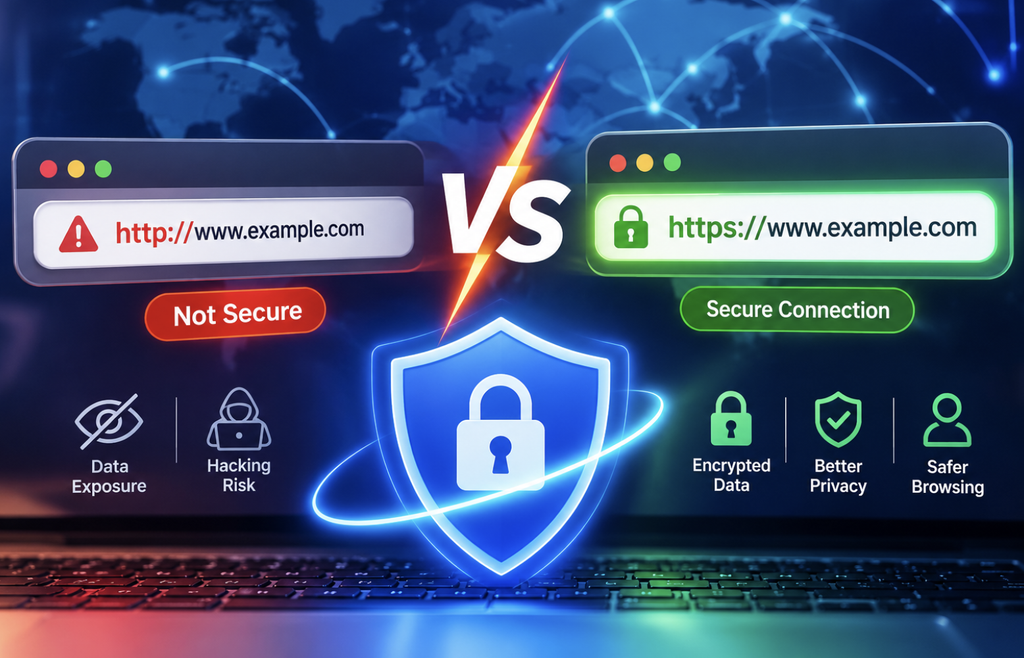
The biggest difference between HTTP and HTTPS involves how they protect information during transmission. HTTP does not encrypt ordinary web traffic. HTTPS uses TLS to provide encryption and additional security protections. However, the distinction involves more than encryption alone. HTTPS also supports authentication and data integrity. These properties help ensure that users communicate with the intended website and receive data without unauthorized alteration during transmission.
In practical terms, HTTP offers basic communication, while HTTPS adds a security layer around that communication.
That difference becomes especially important whenever you enter passwords, payment details, addresses, contact information, or other sensitive data.
How HTTPS Protects Your Data
HTTPS protection begins before the browser sends sensitive information. When you visit an HTTPS website, your browser and server negotiate a secure connection through a process called a TLS handshake. During this process, they establish cryptographic parameters for their communication. The server also presents a digital certificate. The browser checks this certificate against trusted certificate authorities and verifies important details.
Once the secure session becomes established, the browser and server can exchange encrypted information. The process happens extremely quickly. Therefore, you usually notice nothing except the secure connection indicator in your browser.
Modern TLS versions also use sophisticated cryptographic techniques that provide strong protection without requiring users to manage encryption manually.
What Encryption Actually Does
Encryption transforms readable information into an encoded form that unauthorized observers cannot easily understand. Imagine sending a letter inside a locked container. Someone might see the container, but reading its contents becomes significantly harder. HTTPS applies a far more advanced mathematical version of this idea. For example, suppose you submit a login form on an HTTPS website. Your browser sends those credentials through the protected connection.
An attacker monitoring the network may see encrypted traffic, but should not be able to simply read the password from that traffic. However, encryption protects information while it travels.
It does not automatically protect information after the server receives it. Therefore, websites still need secure databases, access controls, authentication systems, monitoring, and responsible data-handling practices.
The Three Major Security Benefits of HTTPS
HTTPS provides three important security properties.
1. Confidentiality
Encryption helps prevent unauthorized parties from reading information during transmission. This protection matters when users submit private information through websites.
2. Authentication
Digital certificates help browsers verify that they are connecting to the domain identified by the certificate. As a result, HTTPS helps reduce certain impersonation and interception risks.
3. Data Integrity
HTTPS includes protections designed to detect unauthorized changes to transmitted information. Therefore, attackers cannot easily modify communication without detection.
Together, these properties create a significantly safer communication channel than traditional HTTP.
What Is a TLS Certificate?
A TLS certificate is a digital credential associated with a website’s identity. Certificate authorities issue certificates after applying their validation processes. When a browser connects to an HTTPS website, it examines the certificate and checks several important details.
These checks can include the certificate’s validity period, domain information, and trusted issuing authority. If the certificate fails important security checks, the browser may display a warning. That warning should never be ignored casually.
A certificate problem can result from an expired certificate, incorrect configuration, an untrusted issuer, or other technical issues.
Does the Padlock Mean a Website Is Safe?
Not necessarily. This distinction remains one of the most important HTTPS lessons. The security icon generally indicates that the connection uses HTTPS. It doesn’t necessarily mean the website owner is trustworthy. Scammers can operate HTTPS websites.
For example, a fraudulent website can obtain a legitimate certificate and encrypt every connection successfully. Therefore, HTTPS can protect the connection while the website itself remains dangerous. Before entering sensitive information, check the complete domain name carefully.
Also consider the site’s reputation, design quality, contact information, and reason for requesting your data.
Can HTTPS Stop Phishing Attacks?
HTTPS cannot eliminate phishing. A phishing website can use HTTPS while attempting to steal your credentials. For example, a scammer might create a convincing login page that looks similar to a legitimate service. The page may display a secure connection indicator.
However, your information would still reach the scammer if you submit it there. Therefore, always inspect the domain before entering sensitive information.
Bookmarking important websites can also reduce the chance of accidentally visiting deceptive domains.
HTTPS and Public Wi-Fi Security
Public Wi-Fi networks can create additional security concerns. Airports, cafés, hotels, and other shared networks may contain unknown users and devices. HTTPS helps protect traffic between your browser and the HTTPS server. Consequently, someone monitoring the network generally cannot simply read protected web traffic.
However, HTTPS does not make public Wi-Fi completely risk-free. Attackers can still target devices, exploit outdated software, distribute malicious downloads, or use phishing techniques.
Therefore, keep your operating system and applications updated. You should also avoid suspicious links and use strong account protection.
Does HTTPS Protect Your Privacy?
HTTPS provides an important privacy benefit, but it does not make you completely anonymous. Encryption protects the contents of communication from many forms of network interception. However, network operators may still observe certain connection-related information.
For example, DNS systems, IP addresses, traffic timing, and other metadata can reveal information about online activity.
Furthermore, the website itself can still know what you submit or request. Therefore, HTTPS should be viewed as an essential privacy layer rather than a complete anonymity solution.
Why HTTPS Matters for Online Shopping
Online shopping involves sensitive information. Customers may submit names, addresses, phone numbers, account credentials, and payment-related information. HTTPS helps protect this information while it travels between the customer’s browser and the website. However, secure online shopping requires additional protections.
Businesses need secure payment processors, strong authentication, secure databases, access controls, fraud monitoring, and reliable software. Therefore, HTTPS represents one essential component of broader e-commerce security.
Does HTTPS Improve SEO?
HTTPS can also matter for website owners focused on search visibility. Google has previously identified HTTPS as a ranking signal. However, HTTPS alone cannot transform a poorly optimized website into a search leader. Search performance depends on numerous factors.
These include content relevance, helpfulness, technical quality, page experience, links, accessibility, and overall website quality.
Therefore, website owners should implement HTTPS primarily for security and user trust. Its SEO benefit should be considered an additional advantage.
HTTPS and Website Performance
Some people still believe HTTPS automatically makes websites slower. That idea does not accurately describe modern web infrastructure. Modern HTTPS connections can work efficiently with technologies such as HTTP/2 and HTTP/3.
These protocols can improve resource delivery and connection performance. However, website speed depends on many factors.
Server capacity, caching, image optimization, JavaScript, hosting quality, network conditions, and content delivery networks all influence loading times. Therefore, HTTPS should not be treated as a guaranteed speed solution.
What Is Mixed Content?
Mixed content happens when an HTTPS website loads some resources, such as images or scripts, through an unsecured HTTP connection. For example, an HTTPS webpage might attempt to load an image, script, stylesheet, or other resource through HTTP. This creates a security problem because attackers could potentially interfere with insecure resources.
Modern browsers increasingly restrict dangerous forms of mixed content. Therefore, website owners should ensure that every important resource loads through secure connections.
This check becomes especially important after migrating an existing website from HTTP to HTTPS.
How Website Owners Can Move From HTTP to HTTPS
Migrating a website requires more than purchasing a certificate. First, obtain and correctly install a TLS certificate. Next, configure the web server to support HTTPS. Then, redirect HTTP versions of pages toward their HTTPS equivalents.
Website owners should also update internal links and canonical URLs where necessary. Afterward, check images, scripts, fonts, stylesheets, and other resources for mixed content. Search engine settings should also be reviewed after migration.
Finally, test redirects, certificates, forms, important pages, and website functionality across multiple browsers. A careful migration reduces technical problems and protects existing search visibility.
What Happens When a TLS Certificate Expires?
TLS certificates have limited validity periods. When a certificate expires, browsers may display security warnings. Visitors may become hesitant to continue, while some browsers can make access difficult. Therefore, website owners should monitor certificate expiration dates.
Automated renewal systems can simplify certificate management and reduce the possibility of accidental expiration. Businesses should also monitor certificate configuration after renewals.
Common HTTPS Mistakes Website Owners Should Avoid
Several mistakes can weaken an otherwise secure HTTPS implementation.
Using an Expired Certificate
Expired certificates can trigger browser warnings and damage visitor trust.
Leaving HTTP Pages Accessible
Website owners should properly redirect HTTP versions to their HTTPS equivalents.
Ignoring Mixed Content
Insecure resources can undermine the security of an otherwise HTTPS-enabled page.
Forgetting Subdomains
Important subdomains also require appropriate certificate coverage and secure configuration.
Ignoring Browser Warnings
Certificate warnings can indicate genuine security or configuration problems.
Assuming HTTPS Solves Everything
HTTPS protects communication, but it cannot replace secure coding, authentication, monitoring, or responsible administration.
HTTP vs HTTPS: Which Should You Choose?
For modern websites, HTTPS is the clear choice. Website visitors should prefer HTTPS when submitting sensitive information. Website owners should treat HTTPS as a fundamental security requirement. The benefits extend beyond passwords and payment details.
HTTPS helps protect forms, account sessions, personal information, and website communication during transmission. Furthermore, it supports user trust and modern web standards.
Most importantly, HTTPS reduces risks associated with sending information across networks without encryption.
Final Thoughts
The difference between HTTP and HTTPS may appear simple, but its consequences are significant. HTTP provides the basic framework for browser-server communication. HTTPS adds TLS-based protection to that communication. It encrypts transmitted information, supports authentication, and helps maintain data integrity. Nevertheless, HTTPS does not make every website trustworthy. A secure connection can still lead to a fraudulent website.
Therefore, users should combine HTTPS awareness with careful browsing habits. Meanwhile, website owners should implement HTTPS correctly and maintain their certificates over time.
Once you understand HTTPS vs HTTP, that small difference in a web address becomes much more meaningful. It represents an important security layer working quietly every time you connect to a protected website.
Frequently Asked Questions
1. What does HTTPS stand for?
HTTPS stands for Hypertext Transfer Protocol Secure.
2. Is HTTPS better than HTTP?
Yes, HTTPS provides stronger protection through encryption, authentication, and data integrity mechanisms.
3. Does HTTPS encrypt everything on a website?
HTTPS protects data transmitted between your browser and server, not every aspect of the website.
4. Can HTTPS websites still be scams?
Yes, scammers can operate legitimate HTTPS connections on fraudulent websites.
5. What does the padlock icon mean?
It generally indicates that your browser has established an HTTPS connection with the website.
6. Can HTTPS protect passwords?
Yes, HTTPS helps protect passwords while they travel between your browser and the server.
7. Can HTTPS prevent phishing?
No, HTTPS cannot prevent you from entering information into a fraudulent website.
8. Is HTTP still safe to use?
HTTP lacks encryption, so it is unsuitable for protecting sensitive information during transmission.
9. Does HTTPS improve Google rankings?
HTTPS is a Google ranking signal, although many other factors strongly influence search performance.
10. Does HTTPS make websites faster?
HTTPS itself does not guarantee speed, although modern secure connections support efficient web technologies.
11. What happens when an HTTPS certificate expires?
Browsers can display security warnings and discourage users from accessing the affected website.
12. Can HTTPS protect public Wi-Fi users?
HTTPS helps protect web traffic from network interception, but it cannot secure your entire device.
13. What is TLS in HTTPS?
TLS is the cryptographic security protocol that protects modern HTTPS communication.
14. What is mixed content?
Mixed content appears when a secure HTTPS page pulls some content from an unsecured HTTP connection.
15. Should every modern website use HTTPS?
Yes, modern websites should use HTTPS to provide safer communication and stronger user trust.