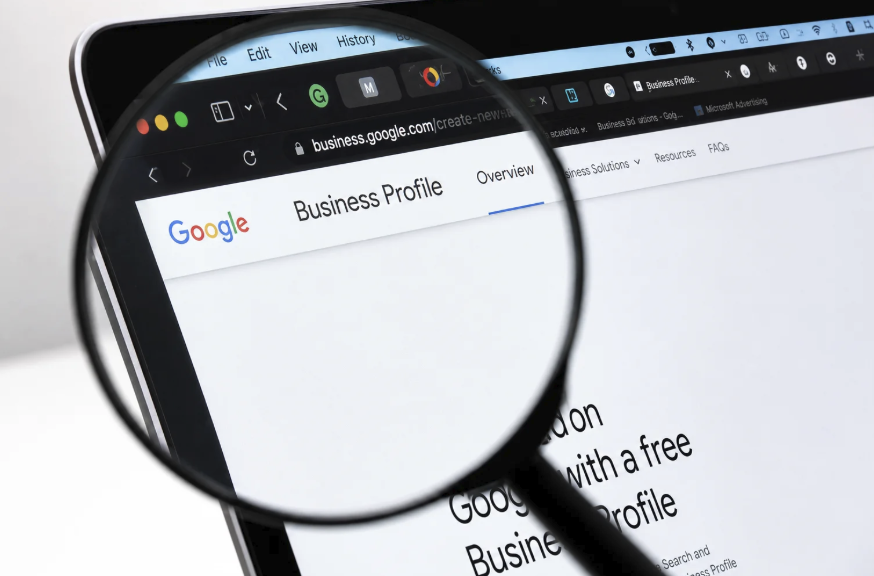
Google Business Profile: A Guide to Local Search Visibility
When someone searches for a plumber, a bakery, a dentist, or a yoga studio near them, the first thing they usually see is not a website. It is a map with a short list of businesses, each showing a name, a star rating, photos, hours, and a button to call or get directions. That panel is powered largely by Google Business Profile, a free tool that lets owners manage how their business appears in Google Search and Maps.
For local businesses, this listing often matters more than a homepage. It is where many customers first judge whether you are open, nearby, trustworthy, and worth a visit. A complete, accurate, and active profile can lead to more calls, direction requests, and visits. A neglected one can send customers to competitors or, worse, to a closed door because the hours were wrong.
This guide explains how to claim and verify your listing, choose categories and write descriptions, add photos and posts, handle reviews, see how local ranking signals fit together, and track results. Google changes its features, policies, and interface regularly, so treat the steps here as principles and confirm the current details on the official Google Business Profile help pages before you make changes.
Claiming and Verifying Your Listing
Many businesses already have a profile, even if the owner never created one. Google may build listings from public data, and customers can suggest edits. The first task is to find out whether yours exists and to take control of it.
Search for your business name and city in Google Search or Maps. If a listing appears, look for the option to claim or manage it. If none exists, you can create a new one through the official Business Profile site. Sign in with a Google account that you control and that the business can keep over time. Using a personal account tied to one employee can cause trouble if that person leaves, so consider creating a dedicated business account and adding other managers as needed.
Enter your business information carefully: the exact legal or commonly used name, address, phone number, website, and hours. Consistency matters. Use the same name, address, and phone number format everywhere online, including your website, social media, and directory listings. Inconsistent details can confuse both customers and search systems.
Decide on your business type. Storefronts that serve customers at a physical location display an address. Service-area businesses, such as plumbers and mobile groomers that travel to customers, may hide their address and list the areas they serve instead. Google has rules about which type fits which business, so read the guidelines before choosing.
Verification proves that you are authorized to manage the listing. Depending on your situation and the options Google offers, it might involve a postcard with a code, a phone call, an email, a text message, or a short video showing your location and signage. Complete it promptly, and follow the instructions exactly. Do not buy verification help from third parties who promise shortcuts.
Add every location if you operate more than one. Each storefront that serves customers in person can usually have its own profile, with its own address, phone number, and hours. Give each location accurate details and a link to the matching page on your website, so customers and search systems can tell them apart.
Finally, follow Google’s guidelines on eligibility and naming. Use your real business name without keyword stuffing, such as adding extra descriptive words or a city name. Breaking these rules can lead to suspension, which removes your listing from results until you fix the issue.
- Search first: Check whether a listing already exists before creating a duplicate.
- Business account: Use an account the company controls, not one tied to a single employee.
- Consistent details: Match name, address, and phone across your website and online directories.
- Business type: Choose between a storefront address and service-area settings according to the rules.
- Verification: Complete the steps Google offers, and avoid anyone promising shortcuts.
Categories, Services, and Descriptions
Once the profile is yours, the next task is to tell Google and customers exactly what you do. Categories, services, and descriptions help match your business to the right searches.
Choose a primary category that most accurately describes your main line of business. This is one of the strongest signals you provide, so be specific. A seafood restaurant is better described by that exact category than by a broad label. Then add secondary categories for other services you offer, but only those that are true. Piling on loosely related categories can dilute your relevance.
Next, fill in services or products. Many categories allow you to list specific services with short descriptions and, in some cases, prices. Use clear terms customers would search for, such as emergency repair, teeth whitening, or wedding cakes. Add menus, product catalogs, or booking links where the profile supports them. Customers who can see what you offer are more likely to take action.
Write the business description in plain, honest language. It should explain what you do, who you serve, and what sets you apart, while avoiding promotional claims, links, and phone numbers that policies may not permit. Place the most important information first, since only part of the description may appear in the initial view. Weave in terms customers would naturally use, but write for people rather than search engines.
Complete the attributes section. Depending on your category, you may be able to indicate wheelchair-accessible entrances, outdoor seating, online appointments, women-led or other ownership labels, and payment types. These details help customers decide, and they can match searches that include such needs. Only select attributes that are accurate.
Use the questions and answers or messaging features if they are available for your listing. Customers often ask about parking, pricing, or availability, and a prompt, helpful reply shows that a real person is behind the business. If messaging is turned on, commit to answering quickly, and turn it off if your team cannot keep up.
Keep hours up to date, including holiday hours and special closures. Few things frustrate customers more than arriving to find a locked door. Check your hours before every major holiday, and update them as soon as plans change.
- Primary category: The most specific description of your main business, a strong relevance signal.
- Secondary categories: Additional true services, added selectively to avoid diluting focus.
- Services and products: Clear lists with the terms customers use, plus menus or booking links.
- Description: A plain, honest summary with the most important points first.
- Attributes and hours: Accurate details, including holiday hours, that set expectations.
Photos and Posts That Earn Attention
People decide quickly, and visuals help them decide in your favor. Profiles with strong, current photos give customers a sense of what to expect and signal that the business is active.
Start with the basics: a clear logo, a cover photo, and images of the exterior, interior, products, team, and work in progress. Exterior photos help people recognize the building and find parking. Interior shots set the mood. Photos of real products or finished projects show quality. Use sharp, well-lit images that represent your business accurately, and avoid stock images or heavy filters that mislead.
Add photos regularly. A fresh upload every few weeks shows that the business is current. Seasonal changes, new menu items, completed projects, and events all make good subjects. Customers also upload photos, so check what appears and flag anything inappropriate through the proper reporting tools.
Short videos can add value, where supported. A thirty-second walkthrough of your space or a quick look at a service in action helps people connect with the business. Keep videos brief and focused.
Use posts and updates where the profile offers them. These can announce offers, events, new products, or helpful tips. Because features change, check what is currently available in your dashboard. Write short, clear updates with a strong image and a specific call to action, such as call, book, or order. Avoid prohibited content, and review Google’s policy on posts.
Use consistent branding between your profile, website, and social channels. Customers who move from the map to your site should feel they are in the same place.
Name your image files sensibly before uploading and think about what each photo says about you. A clean photo of the front entrance, with signage visible, helps new customers confirm they have arrived. A picture of a friendly team member behind the counter helps nervous first-time visitors feel welcome. Treat every image as a small piece of marketing.
Be mindful of file quality and rights. Use only images you have the right to share, and respect the privacy of customers and employees who appear in photos.
- Core images: Logo, cover photo, exterior, interior, products, and team.
- Fresh uploads: Regular new photos to show the business is active.
- Short videos: Brief clips that give a feel for the space or service.
- Updates: Posts about offers, events, or tips with a clear call to action.
Reviews: Earning Them and Answering Them

Reviews are central to local decisions. Many customers read them before they ever visit your website, and they affect both trust and visibility. The best approach is to earn them honestly and respond to them professionally.
Ask happy customers at the right moment. The best time is right after a positive experience, when satisfaction is fresh. Make it easy by using the review link or QR code available in your profile dashboard. Train staff to mention it naturally, and include the link in follow-up emails or receipts. Ask everyone, not just those you expect to be positive, but never pressure anyone and never offer rewards in exchange for reviews. Review policies generally prohibit incentives and selective solicitation, and violations can lead to removal of reviews or penalties.
Do not write reviews for your own business, ask friends or family to post inflated ones, or buy reviews. Fake reviews are against policy, can be detected, and can damage trust if exposed. In many countries they may also violate consumer protection rules.
Respond to reviews, both positive and negative. For praise, say thank you and mention a detail to show the response is not automated. For criticism, stay calm and professional. Acknowledge the concern, apologize where appropriate, and offer to resolve the issue offline with a contact method. Never argue, reveal private information, or blame the customer. Remember that future customers read the replies as well, and a gracious response to a bad review can build more trust than a perfect rating.
If you receive a review that violates policy, such as spam, offensive language, or a review from someone who was never a customer, use the reporting tool to flag it. Removal is not guaranteed, so keep your response measured while you wait. Keep records of the issue in case you need to follow up.
Finally, look for patterns in the feedback. If several reviews mention long waits, unclear pricing, or a messy entrance, treat it as free market research and fix the problem.
- Timely requests: Ask after a positive experience using your official review link.
- No incentives: Avoid rewards, fake reviews, or gating that selects only happy customers.
- Professional replies: Thank reviewers, address concerns calmly, and move details offline.
- Policy reports: Flag spam or abusive content and keep records of your reports.
- Feedback patterns: Use repeated comments to improve operations.
How Local Ranking Signals Fit Together
Google has said that local results rely mainly on three factors: relevance, distance, and prominence. Knowing these helps you focus your effort on what you can influence.
Relevance describes how well your profile matches what the searcher wants. Accurate categories, services, descriptions, and website content all contribute. If someone searches for a vegan bakery, a profile that clearly states vegan baked goods is more relevant than one that mentions only desserts.
Distance considers how far the business is from the searcher or from the location named in the query. You cannot change where you are, and you should never fake an address, but you can make sure your location information is correct and your service area is realistic. Searchers near you will naturally see you more often, so remember that a business across town may show for some searches and not for others.
Prominence reflects how well known and trusted the business is. It draws on information from across the web, such as links, articles, directory listings, and mentions, as well as review count and score. Strong prominence usually comes from being a good business that people talk about, which you can support by earning press mentions, community links, and consistent directory listings.
Your website supports your profile. Make sure the site includes your name, address, phone, services, and location details, and that it loads quickly on phones. Add a page for each major service or location you serve, with useful, original information. Link your profile to the most relevant page rather than always to the homepage.
Keep in mind that ranking is not entirely predictable. Results change by searcher, device, time, and location, and Google does not publish a formula. Avoid anyone who guarantees a top spot. Focus on accuracy, completeness, and reputation, which are durable.
Tracking Performance and Fixing Problems
A profile is not a set-and-forget project. Check how it performs, and look for problems before customers find them.
Use the insights available in your profile dashboard. They typically show how people found you, which searches led them to your listing, and actions such as calls, website clicks, message requests, and direction requests. Look at the trends rather than daily changes. Compare periods of similar length, and consider seasonal patterns, since a bakery will not see the same traffic in every month. Metrics and labels change over time, so check Google’s documentation for current definitions.
Add tracking to your website links where appropriate. Using campaign tags, available through analytics tools, lets you see how many visitors come from your profile and what they do afterward. Combine this with phone call logs and booking records to see real results.
Set a recurring review routine. Once a month, search for your business on a phone, as a customer would. Check that the hours, phone number, website link, photos, and categories are right. Look at the suggested edits and respond to questions. Watch for duplicate listings, wrongly marked closures, or changes made by others, and fix them quickly.
If your profile is suspended or a listing is flagged, read the notification carefully. Common causes include inconsistent business details, ineligible business types, keyword stuffing in names, and violations of content rules. Correct the issue, then follow the official reinstatement steps. Keep documents that prove your business exists, such as licenses, utility bills, and photographs of the storefront.
Finally, set goals. Decide what you want from the profile, such as more calls, more bookings, or more visits, and measure progress against it. Adjust your approach based on what the data shows, and keep learning from official updates and announcements.
Final Thoughts
A strong Google Business Profile is built on basics: a verified listing, accurate details, specific categories, honest descriptions, fresh photos, steady reviews, and regular attention. None of these steps is complicated, but few local businesses do all of them consistently, which is why consistency is a competitive advantage.
Start by auditing your current profile. Confirm that your name, address, phone number, and hours are correct, fix your categories, add new photos, and respond to recent reviews. Then set a monthly check and a simple way to ask customers for feedback.
Google updates its tools and policies frequently, and features differ by country and business type. Always confirm current instructions and rules on the official Google Business Profile help pages. This article offers general guidance and does not guarantee any ranking or result.
Frequently Asked Questions
Is Google Business Profile free?
Yes, creating and managing a profile is free. Some businesses pay for ads or third-party services that work with the profile, but those are separate. Be cautious of anyone who charges for a guaranteed ranking or for something you can do yourself on the official site.
How long does verification take?
It varies by method and by situation. Some methods are quick, while a postcard can take several days to arrive. Follow the instructions in your dashboard, and check the official help pages if progress seems stuck.
Can I have a profile without a storefront?
Often yes, if you serve customers at their location, as a service-area business. You may hide your address and list the areas you serve. Review Google’s eligibility rules carefully, because they depend on the type of business and how you interact with customers.
How many reviews do I need to rank well?
There is no fixed number. Review quantity, quality, recency, and responses all contribute to how customers and search systems see your business, but they are only one part of the picture. Focus on earning honest reviews steadily rather than aiming for a target.
Can competitors or customers change my information?
Customers and other users can suggest edits, and some changes may appear without your approval. Check your dashboard regularly, correct mistakes, and report inaccurate or malicious edits through the official tools.
Do I need a website if I have a profile?
You are not always required to have one, but a website strengthens your presence. It gives customers more detail, supports relevance and prominence, and provides a place for bookings, pricing, and contact forms. Even a simple site on a basic builder can help.