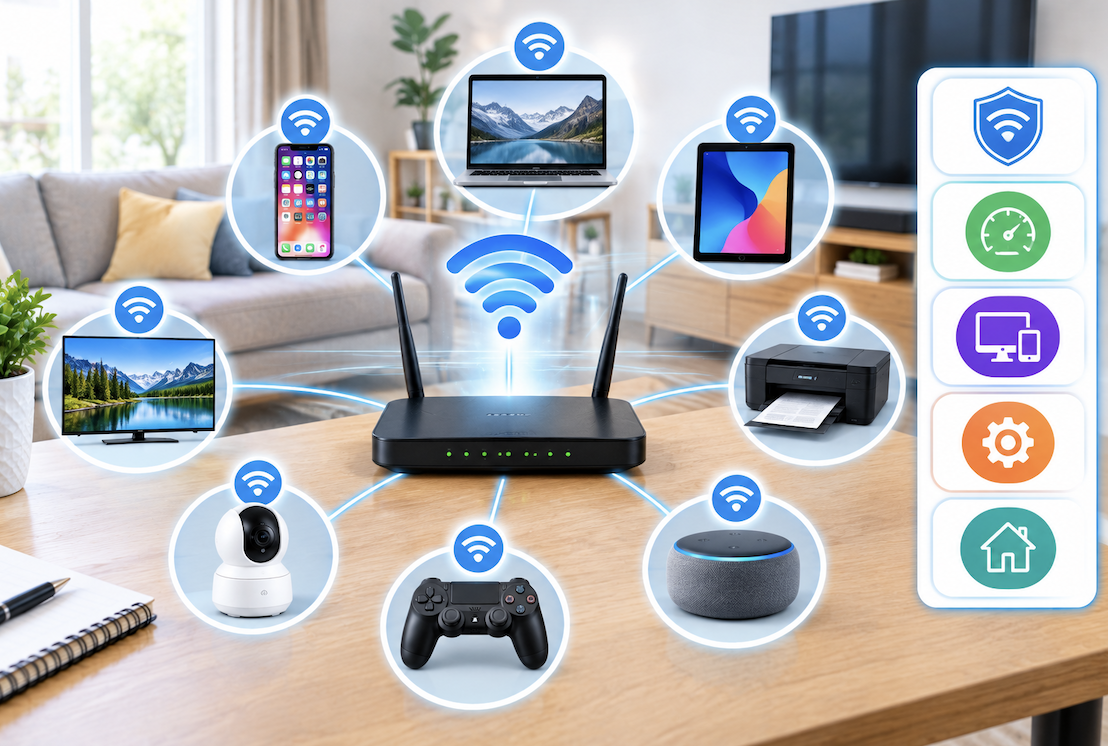
Best Practices for Organizing a Home Network With Multiple Devices
Modern homes routinely connect dozens of devices to a single home network, from computers and phones to smart speakers and connected appliances, yet most people never actually organize this growing collection in any deliberate way, leading to genuine performance and security challenges that accumulate gradually over time. Practical organizational strategies helps create a more manageable, secure, and reliably performing home network.
Why Home Network Organization Matters as Device Count Grows
Why deliberate organization becomes increasingly important as your home accumulates more connected devices- helps explain why this effort pays off beyond simple tidiness.
- More connected devices increase the overall complexity of managing and troubleshooting network issues
- Unorganized networks make identifying and addressing security concerns considerably more difficult
- Performance issues become harder to diagnose without a clear of what is actually connected
- Deliberate organization simplifies both everyday use and eventual troubleshooting when problems arise
Creating Separate Networks for Different Device Categories
One of the most effective organizational strategies involves creating separate network segments specifically for different categories of devices, rather than connecting everything to a single, undifferentiated network.
- Consider a separate network specifically for smart home and IoT devices, distinct from your primary devices
- This separation limits potential security exposure if a less secure smart device becomes compromised
- Many modern routers support this kind of network segmentation through built-in guest network features
- This organizational approach improves both security and troubleshooting clarity across your network
This security benefit deserves particular emphasis, since smart home devices often have weaker built-in security compared to computers and smartphones, meaning isolating them onto a separate network limits how far a potential compromise could spread, rather than allowing a compromised smart device potential access to your more sensitive primary devices and their associated data.
Establishing a Clear Device Naming Convention
The practical value of consistently naming connected devices helps create a network you can actually navigate and troubleshoot efficiently, rather than facing a confusing list of generic, unidentifiable device names.
- Assign descriptive names to devices rather than relying on default manufacturer names
- Consider a consistent naming pattern, such as including device type and location within the name
- This clarity helps when reviewing connected devices for troubleshooting or security review purposes
- Well-organized naming makes identifying an unfamiliar or potentially unauthorized device considerably easier
Why Regularly Auditing Connected Devices Matters
The value of periodically reviewing exactly what devices are actually connected to your network helps catch both security concerns and simply forgotten, unused devices still consuming network resources.
- Periodically review your router’s connected device list to confirm you recognize everything present
- Remove or disconnect devices you no longer actually use, reducing unnecessary network clutter
- Unfamiliar devices discovered during this review may indicate unauthorized access worth investigating
- This regular audit habit helps maintain both security and overall network organization over time
Managing Bandwidth Allocation for Better Performance
How to prioritize bandwidth for devices and activities that need it most- helps ensure your network performs well even when handling numerous simultaneous connected devices.
- Many modern routers offer quality of service settings allowing bandwidth prioritization for specific devices
- Consider prioritizing devices used for important activities, like work video calls, over less critical usage
- Your household’s actual peak usage patterns helps inform sensible prioritization decisions
- This deliberate bandwidth management reduces frustrating slowdowns during high-demand periods
Keeping Firmware and Security Settings Current
The network organization includes maintaining security beyond just initial setup helps establish sustainable habits for keeping your home network secure over time.
- Keep your router’s firmware updated, since manufacturers regularly release important security patches
- Periodically review and update passwords for both your router and individual connected devices
- Disable any router features you are not actually using, reducing your overall potential security exposure
- Consider these maintenance tasks as an ongoing responsibility rather than a one-time initial setup activity
Practical Steps for Getting Your Home Network Organized
- Create separate network segments for smart home devices versus your primary computers and phones
- Establish and apply a consistent, descriptive naming convention across your connected devices
- Schedule periodic reviews of connected devices to catch both security concerns and unnecessary clutter
- Configure bandwidth prioritization for your household’s most important activities and devices
- Maintain router firmware and security settings as an ongoing responsibility rather than a one-time task
Why Documenting Your Network Setup Helps With Future Troubleshooting
The practical value of maintaining basic documentation about your home network’s actual structure helps considerably when troubleshooting future issues or making changes without needing to rediscover everything from scratch.
Simply keeping a basic record of which devices connect to which network segment, what passwords are associated with which accounts, and any specific configuration decisions you made along the way saves considerable time and frustration when you eventually need to troubleshoot an issue or add new devices to your existing setup.
This documentation does not need to be elaborate or technically sophisticated, but even a simple, informal record helps you or anyone else who might need to manage the network avoid repeating the same discovery process every time a question or issue arises.
- Basic documentation of your network structure saves time during future troubleshooting
- Recording device assignments and configuration decisions prevents needing to rediscover this information repeatedly
- This documentation does not need to be elaborate, just accessible and reasonably current
- This small additional effort provides meaningful value relative to the minimal time investment required
Final Thoughts
Organizing a home network with multiple connected devices comes down to genuine network segmentation for security, consistent device naming for clarity, regular device audits, and deliberate bandwidth management for better performance.
Implementing these practical strategies transforms an increasingly complex, unmanaged collection of connected devices into a genuinely organized, secure, and reliably performing home network that serves your household’s actual needs considerably better than an unmanaged approach ever could.
As smart home adoption continues growing and the number of connected devices in a typical household keeps increasing, investing this modest organizational effort now pays dividends in reduced future frustration, whether that means faster troubleshooting when something eventually goes wrong or simply a network that consistently performs the way you actually expect it to.
Frequently Asked Questions
1. How many devices can a typical home network support without performance issues?
This varies considerably based on your specific router capabilities and internet plan speed, though modern routers and reasonably robust internet plans can typically support dozens of devices, particularly when combined with the organizational strategies discussed here.
2. Do I need separate networks if I only have a few smart home devices?
Even with a modest number of smart devices, this separation still provides genuine security benefits, though the urgency scales somewhat with the number and sensitivity of devices connected, making it a worthwhile consideration even for smaller smart home setups.
3. How often should I review my connected devices list?
Reviewing this list every few months provides a reasonable balance between maintaining genuine awareness of your network and not requiring excessive ongoing time investment, though households with frequently changing device counts might benefit from more frequent review.
4. Does organizing my home network require advanced technical knowledge?
Many of these organizational strategies, particularly basic device naming and periodic review, require minimal technical expertise, though more advanced features like network segmentation may require consulting your specific router’s documentation for proper configuration.
5. Can poor home network organization cause internet slowdowns?
Yes, since unmanaged bandwidth allocation and an unnecessarily cluttered network with numerous unused or forgotten connected devices can both contribute to performance issues that organized, deliberate network management helps meaningfully address.