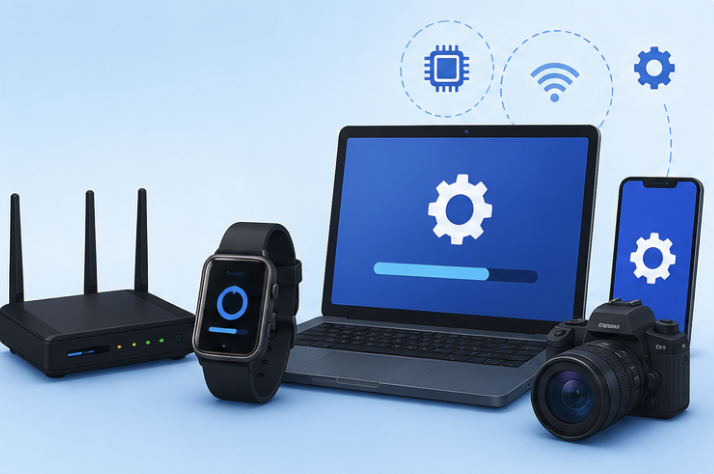
What is a Firmware Update and Why Does It Matter?
If you’ve ever used a smartphone, laptop, smart TV, Wi-Fi router, gaming console, or even a smartwatch, you’ve probably seen a notification asking you to install a firmware update. Many people ignore these alerts because they assume firmware updates are just another type of software update.
However, firmware updates are often far more important than most users realize.
A firmware update can improve security, fix bugs, increase performance, add new features, and even extend the life of your device. In some cases, failing to install critical firmware updates can leave your device vulnerable to cyberattacks or cause compatibility issues with newer software.
In this guide, you’ll learn exactly what firmware is, how firmware updates work, why they matter, and when you should install them.
What Is Firmware?
Firmware is a unique form of software permanently integrated into physical devices to control their operations.
Unlike regular applications that you install and remove, firmware acts as the bridge between a device’s hardware and its software. It contains the low-level instructions that tell the hardware how to function.
Think of firmware as the operating instructions built directly into a device.
Examples of devices that use firmware include:
- Smartphones
- Laptops
- Desktop computers
- Wi-Fi routers
- Printers
- Smart TVs
- Gaming consoles
- Smart home devices
- Digital cameras
- Bluetooth headphones
Without firmware, these devices would not know how to operate correctly.
What Is a Firmware Update?
A firmware update is a new version of the firmware released by the manufacturer to improve the device’s functionality, security, or stability.
Manufacturers regularly discover issues, security vulnerabilities, and opportunities for improvement after a product has been released. Instead of requiring customers to buy a new device, they can distribute firmware updates that enhance the existing hardware.
These updates are typically installed through:
- Automatic updates
- Device management software
- Manufacturer applications
- System settings menus
- USB installation files
Once installed, the device begins operating using the improved firmware version.
Firmware vs Software: What’s the Difference?
Many people confuse firmware with traditional software, but they serve different purposes.
Firmware
Firmware controls the hardware directly.
Examples include:
- Router firmware
- Camera firmware
- SSD firmware
- Motherboard BIOS firmware
Firmware operates at a lower level and helps hardware perform its core functions.
Software
Software is designed for user interaction.
Examples include:
- Web browsers
- Office applications
- Mobile apps
- Video editing tools
- Games
Software depends on firmware and hardware to function properly.
Simple Comparison
| Firmware | Software |
|---|---|
| Controls hardware | Helps users perform tasks |
| Usually pre-installed | Installed by users |
| Low-level operations | User-level operations |
| Updated less frequently | Updated more frequently |
| Essential for device operation | Optional depending on needs |
Understanding this distinction helps explain why firmware updates are often so important.
Why Firmware Updates Matter
Many users delay updates because they believe nothing will change. In reality, firmware updates often provide significant benefits.
Improved Security
Security is one of the biggest reasons manufacturers release firmware updates.
Cybercriminals constantly search for vulnerabilities in devices connected to the internet.
If security flaws are discovered, attackers may exploit them to:
- Steal information
- Access networks
- Install malware
- Spy on users
Firmware updates frequently patch these vulnerabilities before they can be abused.
For internet-connected devices such as routers and smart home products, keeping firmware updated is especially important.
Better Performance
Firmware updates often optimize how hardware functions.
This can lead to:
- Faster processing
- Better battery life
- Improved connectivity
- Reduced overheating
- Smoother device operation
A simple update can sometimes make an older device feel noticeably more responsive.
Bug Fixes and Stability Improvements
No product launches completely free of issues.
Manufacturers often discover bugs after customers begin using devices in real-world environments.
Firmware updates can fix:
- Random crashes
- Connection problems
- Audio issues
- Display glitches
- Device freezing
As a result, your device becomes more stable and reliable.
New Features
Firmware updates don’t always focus on fixing problems.
Sometimes manufacturers introduce entirely new features.
Examples include:
- Enhanced camera functions
- Improved audio quality
- New security settings
- Additional device controls
- Expanded compatibility
These updates can make your device more useful without requiring new hardware.
Compatibility with New Technology
Technology changes rapidly.
New operating systems, apps, accessories, and standards are released every year.
Firmware updates help devices remain compatible with:
- New smartphones
- Updated operating systems
- Wireless standards
- Smart home ecosystems
- Security protocols
Without updates, older devices may eventually struggle to work with modern technology.
Common Devices That Receive Firmware Updates
Many people think firmware updates only apply to computers. In reality, firmware exists in countless devices.
Smartphones
Phone manufacturers regularly release firmware updates to improve performance and security.
Wi-Fi Routers
Router firmware updates are among the most important because routers connect directly to the internet.
Smart TVs
Manufacturers frequently add streaming improvements, bug fixes, and security patches through firmware updates.
Gaming Consoles
Consoles often receive firmware updates that improve system performance and support new games.
Printers
Firmware updates can improve print quality, reliability, and compatibility.
Smart Home Devices
Devices like smart speakers, security cameras, doorbells, and lighting fixtures depend on firmware to function properly.
Computer Components
Even hardware such as SSDs, graphics cards, and motherboards may receive firmware updates.
What Happens During a Firmware Update?
The update process varies depending on the device, but the general steps are similar.
Step 1: Download
The device downloads the latest firmware package.
Step 2: Verification
The system checks the file to ensure it comes from a trusted source.
Step 3: Installation
The old firmware is replaced with the updated version.
Step 4: Restart
Most devices restart after installation.
Step 5: Optimization
The device applies new settings and improvements.
The entire process may take anywhere from a few minutes to over an hour, depending on the device.
Is It Safe to Install Firmware Updates?
In most cases, yes.
Firmware updates released by reputable manufacturers are carefully tested before distribution.
However, you should follow a few precautions:
- Download updates only from official sources.
- Avoid interrupting the installation process.
- Keep the device connected to power.
- Back up important data when possible.
- Read update notes before installing.
Interrupting a firmware installation can sometimes cause serious issues, especially on routers, motherboards, and storage devices.
What Happens If You Ignore Firmware Updates?
Ignoring updates may not cause immediate problems, but it can create risks over time.
Potential consequences include:
Security Vulnerabilities
Unpatched devices become attractive targets for attackers.
Reduced Performance
Your device may miss performance improvements and optimizations.
Compatibility Issues
New software and accessories may stop working correctly.
Increased Bugs
Existing issues may remain unresolved.
Shortened Device Lifespan
Regular updates often help hardware operate more efficiently and reliably.
For devices connected to the internet, skipping updates for long periods is generally not recommended.
Best Practices for Managing Firmware Updates
If you want to keep your devices secure and functioning properly, follow these simple habits.
Enable Automatic Updates
Automatic updates ensure important security fixes are installed promptly.
Check Manufacturer Websites
Some devices require manual firmware updates.
Read Update Notes
Release notes explain what changes are included.
Update During Free Time
Avoid updating critical devices when you need them immediately.
Maintain Backups
Although problems are rare, backups provide extra protection.
These practices help reduce risks and keep your devices running smoothly.
The Future of Firmware Updates
Firmware technology continues to evolve as devices become smarter and more connected.
Future firmware updates are expected to deliver:
- Faster installations
- Improved security automation
- AI-powered optimizations
- Better energy efficiency
- Enhanced smart device integration
As the Internet of Things (IoT) expands, firmware updates will become even more important for maintaining security and reliability across connected devices.
Conclusion
Firmware is the essential software embedded within your device’s hardware, and firmware updates are designed to improve how that hardware operates. Whether it’s fixing bugs, improving security, enhancing performance, or introducing new features, firmware updates play a critical role in maintaining modern technology.
While it may be tempting to postpone update notifications, installing firmware updates promptly is one of the simplest ways to keep your devices secure, stable, and functioning at their best.
The next time your smartphone, router, smart TV, or computer asks you to install a firmware update, you’ll understand exactly why it matters.
Frequently Asked Questions
1. What is a firmware update in simple terms?
A firmware update is a manufacturer-released upgrade that improves how a device’s hardware operates, adding fixes, security patches, or features.
2. Is firmware the same as software?
No. Firmware directly controls hardware functions, while software is designed for user tasks and applications.
3. Can a firmware update improve performance?
Yes. Many firmware updates optimize hardware operations, improve efficiency, fix bugs, and enhance overall device performance.
4. What happens if a firmware update fails?
A failed firmware update can sometimes cause device issues. This is why it’s important not to interrupt the update process and follow manufacturer instructions.
5. How often should I check for firmware updates?
For internet-connected devices, checking monthly or enabling automatic updates is generally recommended.
6. Are firmware updates necessary for routers?
Yes. Router firmware updates often contain important security patches that help protect your network from cyber threats.