What Is a QR Code and How Does Scanning It Actually Work?
You’ve probably seen QR codes everywhere. They appear on restaurant menus, product packaging, event tickets, posters, advertisements, payment screens, business cards, and even television commercials.
At first glance, a QR code looks like nothing more than a square filled with tiny black and white patterns. Yet that pattern can store information that your smartphone can read in a fraction of a second.
So, what is a QR code, and what actually happens when you point your phone’s camera at one?
The technology is surprisingly clever, but the basic idea is easy to understand. A QR code stores information visually, while your phone’s camera and software identify the pattern, decode the information, and turn it into something useful, such as a website address or contact detail.
Let’s take a closer look at how the technology works, where QR codes came from, and how you can use them safely.
What Is a QR Code?
QR stands for Quick Response.
A QR code is a type of two-dimensional barcode designed to store information in a visual pattern. Unlike traditional barcodes, which usually contain information across one direction, QR codes can store data across both horizontal and vertical dimensions.
This allows them to hold considerably more information than a typical one-dimensional barcode.
A QR code can contain information such as:
- Website addresses
- Text
- Contact information
- Wi-Fi network details
- Event information
- Product information
- Payment-related information
- App links
- Location information
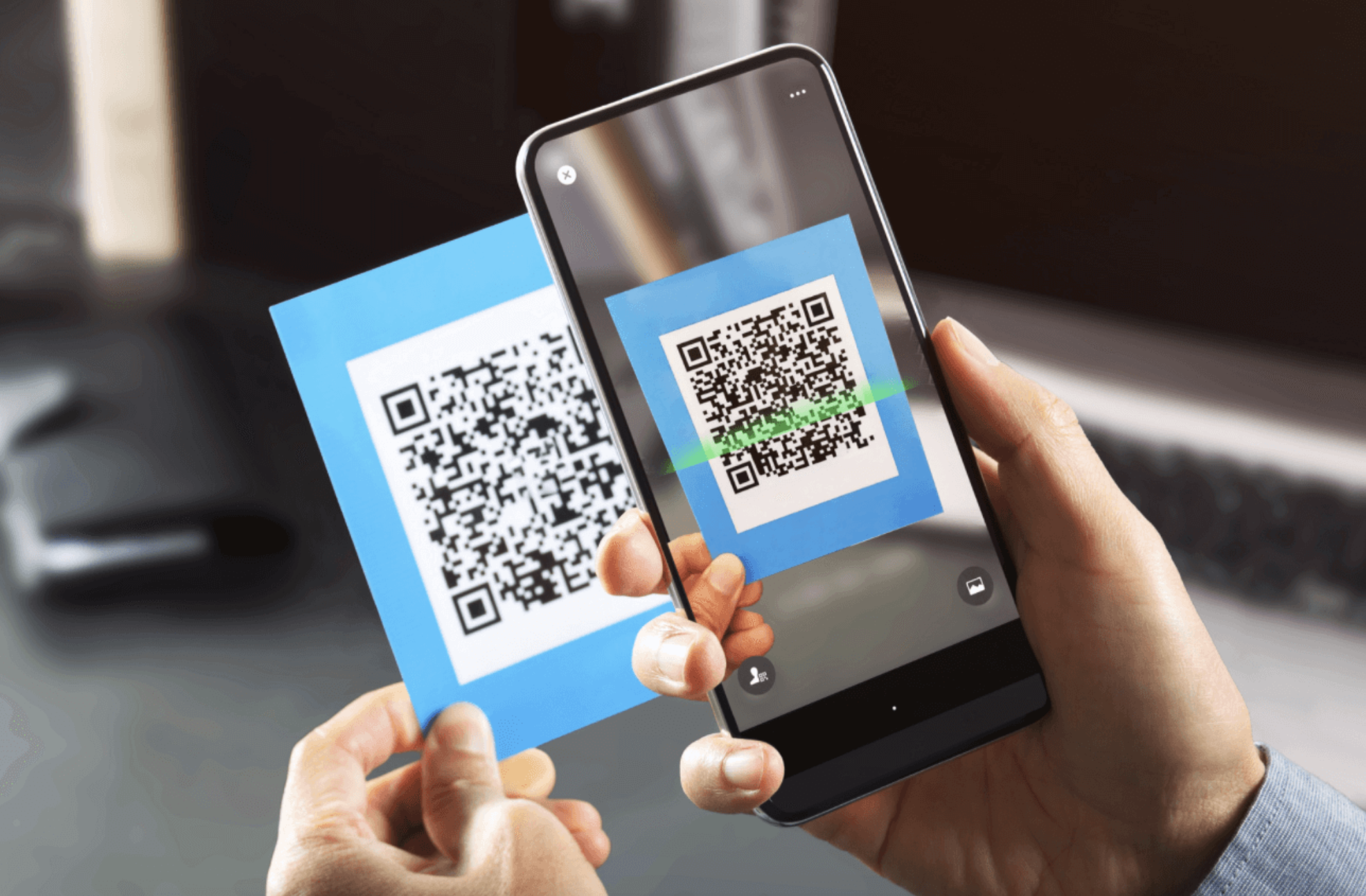
When you scan a QR code, your phone interprets the pattern and converts the encoded information into something you can interact with.
For example, if the QR code contains a website address, your phone may display a notification asking whether you want to open that website.
Where Did QR Codes Come From?
QR codes were originally developed in Japan in the 1990s.
They were created by Denso Wave, a company involved in automotive technology, to improve the tracking of components during vehicle manufacturing.
Traditional barcodes had limitations because they could store only a relatively small amount of information. Manufacturing processes required a system capable of holding more data while also being quickly readable.
The QR code was designed to solve that problem.
Its two-dimensional structure allowed more information to be encoded in a relatively small area. The technology later spread beyond manufacturing and became widely used in retail, marketing, transportation, payments, and everyday digital services.
One reason QR codes became so useful is that smartphones made scanning them extremely convenient.
How Does a QR Code Store Information?
A QR code doesn’t literally contain a webpage or a digital document inside the printed square.
Instead, the pattern represents encoded data.
The tiny dark and light areas correspond to information that a QR-code reader can interpret.
Think of it as a visual language.
What you see are various squares and patterns displayed on the screen. A QR-code scanner sees a structured arrangement of information.
Different sections of the QR code serve different purposes. Some help the scanner determine the code’s orientation, while others contain the encoded information and error-correction data.
This structured design is what allows your smartphone to interpret the seemingly random pattern.
What Are the Three Large Squares?
One of the easiest ways to recognize a QR code is by the three large square patterns near its corners.
These are called finder patterns.
They help the scanning system determine:
- Where the QR code is
- Its orientation
- Its approximate size
- How the code is positioned relative to the camera
Because these patterns appear in three corners, the scanner can identify the shape even when you hold the phone at an angle.
This is one of the reasons QR codes can be scanned so quickly.
The smaller patterns inside the code contain additional structural and data information.
How Does Scanning a QR Code Work?
The process may seem instantaneous, but several steps happen between pointing your camera at a QR code and seeing the result.
Step 1: Your Camera Captures the Image
You point your smartphone camera toward the QR code.
The camera captures an image containing the code.
Modern phones can recognize QR codes directly through the standard camera app, although dedicated scanning apps are also available.
Step 2: The Software Detects the QR Code
Your phone analyzes the camera image and looks for patterns that resemble a QR code.
The large finder patterns are particularly useful because they help the software identify the code’s location and orientation.
Step 3: The Image Is Analyzed
The scanner determines the boundaries of the QR code and interprets its grid.
Even if the code is slightly tilted, the software can usually correct the perspective so the underlying pattern can be read.
Step 4: The Data Is Decoded
The scanner interprets the dark and light modules and converts them into encoded data.
The QR code’s format and error-correction information help the software understand how the data is organized.
Step 5: Your Phone Presents the Result
Finally, the decoded information is passed to your phone.
If it contains a website address, your phone may offer to open it in a browser.
If it contains contact information, you might be offered the option to save the contact.
If it contains plain text, the text may simply appear on your screen.
The entire process can happen almost instantly.
What Is Error Correction in a QR Code?
One of the most interesting features of QR codes is error correction.
A QR code can sometimes be read even when part of it is damaged, dirty, scratched, or obscured.
This works because QR codes include redundant information that allows the scanner to reconstruct some missing or damaged data.
There are different levels of error correction, with higher levels providing greater resistance to damage but reducing the amount of space available for the main data.
This is also why some QR codes can include logos or designs in the center while remaining scannable.
However, error correction isn’t unlimited. If too much of the code is damaged or covered, scanning may fail.
Why Can QR Codes Be Scanned From Different Angles?
You don’t always need to hold your phone perfectly straight.
QR codes are designed with positioning patterns and structured grids that help scanning software determine the code’s orientation.
Your phone can also use image-processing techniques to correct perspective.
For example, if the QR code is printed on a poster and you photograph it from the side, the scanner may still recognize it.
Good lighting, sufficient focus, and a clear view of the code can improve the chances of successful scanning.
What Can a QR Code Do?
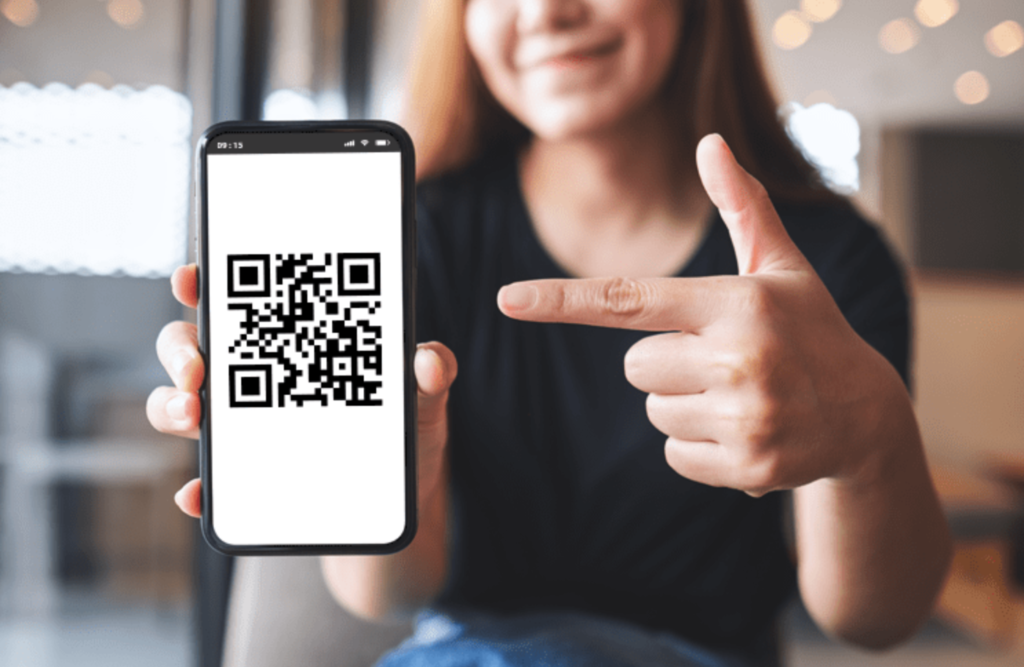
QR codes are incredibly flexible because the encoded information can be used in many different ways.
Open a Website
This is probably one of the most common uses.
A QR code can contain a web address, allowing you to reach a webpage without manually typing a long URL.
Share Wi-Fi Information
Some QR codes can contain Wi-Fi network details. When scanned by a compatible device, the information can make connecting to the network easier.
Share Contact Information
A QR code can contain contact information such as a person’s name, phone number, email address, or other details.
Display Menus
Restaurants and cafés may use QR codes to direct customers to digital menus.
Provide Event Information
QR codes can be used on tickets and invitations to provide event details or facilitate check-in.
Support Payments
Some payment systems use QR codes to transfer payment information or identify a transaction. The exact process depends on the payment service and country.
Static vs. Dynamic QR Codes
You may also encounter the terms static QR code and dynamic QR code.
A static QR code contains information directly encoded into the QR pattern. Once printed, the encoded information generally can’t be changed without creating a new QR code.
A dynamic QR code typically points to a web address or service that can be updated on the server side. This can allow the destination or associated information to change without replacing the physical QR code.
Businesses often use dynamic QR systems because they can provide additional management and analytics features.
However, the distinction depends on how the QR-code service is implemented. A QR code itself doesn’t automatically become dynamic simply because it is used online.
Are QR Codes Safe to Scan?
A QR code itself isn’t necessarily dangerous.
The important thing is where it sends you.
A QR code can contain a harmless website address, but it can also direct you to a malicious or misleading website.
This is sometimes called quishing, a term derived from “QR” and phishing.
For example, a malicious QR code could attempt to send you to a fake login page designed to steal information.
That is why you should treat QR codes similarly to links.
Before opening a website, look carefully at the address displayed by your phone.
Be cautious if:
- The domain looks unfamiliar
- The URL contains unusual spelling
- The page asks for unnecessary personal information
- You’re unexpectedly asked to download an application
- A payment request appears without explanation
- The QR code has been placed over another QR code
When scanning codes in public places, pay attention to whether the printed code appears genuine and hasn’t been replaced or covered.
How to Scan a QR Code With Your Phone
Most modern smartphones can scan QR codes using their built-in camera.
A typical process looks like this:
- Open your phone’s camera.
- Point it toward the QR code.
- Keep the code visible and in focus.
- Wait for the QR notification or link to appear.
- Check the destination before opening it.
If your camera doesn’t recognize QR codes automatically, your phone may have a dedicated scanner feature or you may need compatible scanning software.
Avoid installing random QR-scanning apps from unfamiliar sources just because you encounter a code you want to scan.
Why Won’t My QR Code Scan?
Sometimes a QR code simply refuses to work.
Several things can cause this.
Poor Lighting
Very dark environments can make the code difficult for the camera to recognize.
Low Image Quality
A blurry or low-resolution QR code may not contain enough visual detail for reliable scanning.
Damaged Code
Although error correction can help, significant damage can make the code unreadable.
Too Much Glare
Reflections from glossy surfaces can hide parts of the pattern.
Incorrect Size
A QR code that is extremely small may not provide enough detail for the camera.
Insufficient Contrast
QR codes generally work best when there is clear contrast between the dark modules and the background.
Try moving your phone slightly farther away or closer, improving the lighting, and keeping the entire code inside the camera frame.
QR Codes vs. Traditional Barcodes
Traditional barcodes and QR codes serve similar purposes, but they work differently.
A traditional barcode is generally one-dimensional and stores information using lines of different widths and spacing.
A QR code is two-dimensional and uses a grid of modules.
Because of this structure, QR codes can store more information and can be scanned from different orientations.
Standard barcodes are still very helpful for tracking products and stock, but QR codes make it easy for people to access digital info with their smartphones.
The Future of QR Codes
QR codes have been around for decades, but smartphones have made them more relevant to everyday users.
They are now used across marketing, payments, transportation, retail, events, product information, and authentication systems.
Their biggest strength is simplicity.
A person doesn’t need to type a complicated web address or manually enter certain pieces of information. A quick camera scan can connect the physical world to a digital destination.
As more services combine physical products and spaces with digital experiences, QR codes are likely to remain a useful bridge between the two.
Final Thoughts
So, what is a QR code?
It is a two-dimensional barcode that stores information in a structured visual pattern. When you scan it, your phone’s camera captures the image, software identifies the QR pattern, corrects its orientation if necessary, decodes the data, and presents the result.
What looks like a random collection of tiny squares is actually a carefully designed information system.
QR codes are useful because they make it easy to connect physical objects with digital information. A restaurant menu, event ticket, product package, poster, or payment screen can all become an entry point to an online service.
Just remember that convenience should not replace caution. Before opening a link from a QR code, check where it leads and be careful when a page unexpectedly asks for sensitive information.
Once you understand how QR codes work, that little square pattern becomes much less mysterious.
“Don’t miss out on this valuable information about Effective Free Methods to Master Coding in 2026“
Frequently Asked Questions
1. What does QR stand for?
QR stands for Quick Response. The name refers to the technology’s ability to allow information to be read quickly by compatible scanning systems.
2. How does a QR code work?
A QR code represents information using a structured grid of dark and light modules. Your phone’s camera captures the pattern, and scanning software identifies, processes, and decodes the information.
3. Can a QR code store a website?
Yes. A QR code can encode a website address. When you scan it, your phone can display the destination URL and give you the option to open it in a browser.
4. Can QR codes be dangerous?
The QR code format itself isn’t inherently dangerous, but a QR code can direct you to a malicious website or scam. Always check the destination before entering passwords, payment details, or other sensitive information.
5. Can I scan a QR code without an app?
Most new smartphones can scan QR codes directly with their camera, though the steps may differ depending on the device and software.
6. Why won’t my phone scan a QR code?
Poor lighting, blur, glare, damage, low contrast, an extremely small code, or an obstructed pattern can prevent successful scanning. Try improving the lighting, adjusting the distance, and making sure the entire QR code is visible.