Understanding Kubernetes Namespaces and Why They Matter
Kubernetes can make it possible to run and manage applications across a large collection of containers. However, as a Kubernetes environment grows, managing dozens or even hundreds of applications, teams, and resources can become complicated.
This is where Kubernetes namespaces become useful.
A namespace provides a way to organize resources inside a Kubernetes cluster. Instead of putting everything into one large, unstructured environment, administrators can separate resources into logical groups.
For example, a company might have separate namespaces for development, testing, and production. A larger organization could also create namespaces for different teams or applications.
Namespaces do not create completely separate Kubernetes clusters. Instead, they provide logical organization and can work with access controls, resource limits, and other Kubernetes features.
Understanding namespaces is therefore an important step for anyone learning Kubernetes or working with containerized applications.
What Is a Kubernetes Namespace?
A Kubernetes namespace is a logical partition within a Kubernetes cluster that helps organize and manage resources.
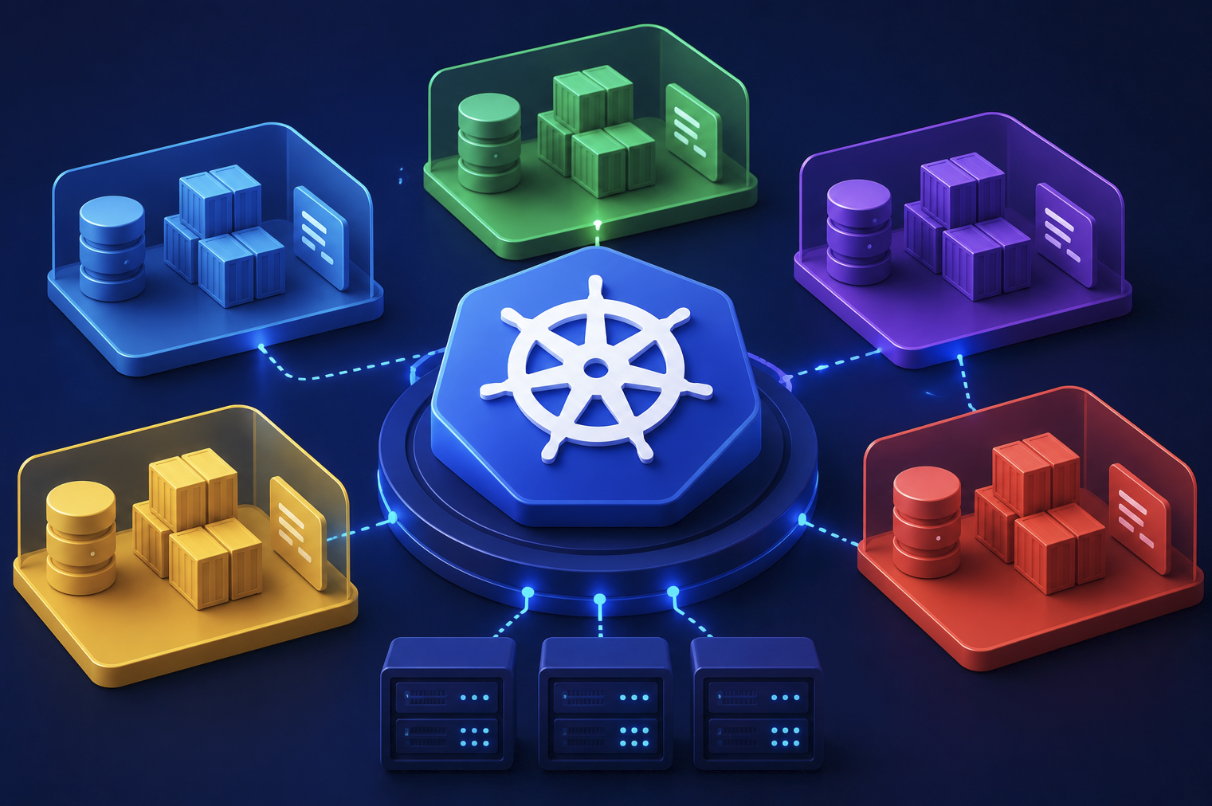
Think of a Kubernetes cluster as a large office building. The building represents the cluster, while namespaces are individual departments or rooms inside it.
Different resources can exist within different namespaces while still being managed by the same Kubernetes cluster.
For example, you could have:
developmenttestingproductionmarketingbackendfrontend
Each namespace can contain resources such as Pods, Services, Deployments, ConfigMaps, and Secrets, depending on the resource type.
This structure becomes increasingly valuable as a cluster grows.
Why Do Kubernetes Namespaces Matter?
Without namespaces, managing a large cluster can become difficult.
Imagine a company running several applications in one Kubernetes cluster. Each application might have multiple Pods, Services, Deployments, and configuration objects.
If everything existed in one shared space, administrators would have a harder time identifying which resources belong to which application or team.
Namespaces provide a logical boundary that makes the environment easier to understand.
They can help organizations:
- Organize resources
- Separate environments
- Manage teams
- Apply access permissions
- Set resource limits
- Simplify administration
- Reduce naming conflicts
Namespaces are especially useful in shared Kubernetes clusters where multiple applications or teams use the same infrastructure.
How Do Kubernetes Namespaces Work?
Namespaces work by associating supported Kubernetes resources with a particular logical area.
Suppose a cluster contains three namespaces:
Development -> application testing resources
Staging -> pre-production resources
Production -> live application resources
A Deployment called web-app could exist in all three namespaces because the resources belong to different namespaces.
The full identity of a namespaced resource therefore involves more than its resource type and name.
For example:
development/web-app
and
production/web-app
can represent separate resources.
This makes namespaces useful for avoiding naming conflicts and keeping related resources organized.
Namespace vs. Kubernetes Cluster
A common beginner question is whether a namespace is the same thing as a cluster.
It is not.
A Kubernetes cluster is the larger environment containing the control plane and worker infrastructure used to run workloads.
A namespace is a logical organization mechanism inside that cluster.
You can think of it this way:
Cluster -> Namespaces -> Resources
One cluster can contain multiple namespaces.
However, namespaces do not provide the same level of isolation as completely separate clusters. Organizations that require strong infrastructure separation may still choose to use multiple clusters.
The right approach depends on security, operational, compliance, and architectural requirements.
Default Kubernetes Namespaces
When Kubernetes is installed, it normally includes several namespaces used for different purposes.
One commonly encountered namespace is default.
If you create a namespaced resource without explicitly selecting another namespace, it is commonly placed in the default namespace.
There is also typically a namespace used for Kubernetes system components, commonly called kube-system.
Another important namespace is kube-public, which is designed for resources that can be publicly readable within the cluster.
Newer Kubernetes environments may also include kube-node-lease, which supports node heartbeat and lease information.
These namespaces have different purposes, so administrators should understand them before modifying or deleting resources.
How to Create a Kubernetes Namespace
Namespaces can be created using Kubernetes tools such as kubectl.
A simple command is:
kubectl create namespace developmentThis creates a namespace named development.
You can then work with resources inside that namespace by specifying it in your commands.
For example:
kubectl get pods -n developmentThe -n option tells kubectl which namespace you want to work with.
You can also define a namespace using a YAML manifest.
For example:
apiVersion: v1
kind: Namespace
metadata:
  name: development
This approach is particularly useful when Kubernetes resources are managed through configuration files and version-controlled infrastructure.
How Namespaces Help Organize Kubernetes Resources
One of the biggest advantages of namespaces is organization.
Consider a company running an online store. Its Kubernetes cluster might contain resources for:
- Website services
- Payment services
- Product management
- Customer accounts
- Internal testing
- Monitoring
Instead of mixing everything together, teams can organize resources into namespaces according to their architecture or operational requirements.
For example:
store-frontend
store-backend
store-testing
This makes it easier for administrators to locate resources and understand how the cluster is structured.
However, organizations should avoid creating unnecessary namespaces simply because they can. A namespace structure should support the way the organization actually manages applications and teams.
Kubernetes Namespaces and Access Control
Namespaces become particularly powerful when combined with Kubernetes access-control features.
Using Role-Based Access Control (RBAC), administrators can determine which users or service accounts are allowed to perform specific actions within a namespace.
For example, a development team might be allowed to create and modify resources in the development namespace without having permission to change production resources.
This provides a useful separation of responsibilities.
A simplified structure might look like:
Developer -> Development Namespace -> Allowed to manage application resources
while:
Developer -> Production Namespace -> Limited or no access
This type of access control can reduce the risk of accidental changes to important workloads.
Namespaces therefore provide an organizational foundation that can work together with Kubernetes permissions.
Resource Management With Namespaces
Namespaces can also be used with resource-management features.
In a shared cluster, one team or application should not necessarily be able to consume unlimited resources.
Kubernetes provides mechanisms such as ResourceQuotas and LimitRanges that can help administrators control resource consumption.
For example, an organization could define limits on how much CPU or memory resources can be requested within a namespace.
This is useful in environments where several teams share the same cluster.
Instead of allowing one workload to consume resources without restriction, administrators can establish boundaries that help maintain predictable cluster behavior.
Namespace Isolation and Networking
Namespaces provide logical organization, but they should not automatically be interpreted as complete network isolation.
By default, workloads in different namespaces may be able to communicate with one another depending on the cluster’s networking configuration.
If an organization needs to restrict communication between workloads, Kubernetes NetworkPolicies can be used when supported by the cluster’s network implementation.
For example, a company might want its database workloads to accept traffic only from specific application workloads.
This is an important distinction:
Namespace organization does not automatically equal complete security isolation.
Effective isolation usually requires combining namespaces with appropriate permissions, network policies, security controls, and infrastructure practices.
Namespaces and DNS
Kubernetes provides DNS-based service discovery, which makes communication between services easier.
Services inside a namespace can generally be referenced using names that include their namespace when necessary.
For example:
api-service.backendcan identify a service called api-service in the backend namespace within the cluster’s DNS system.
This becomes useful when multiple namespaces contain services with similar names.
A development application and production application could have similarly named services while remaining distinguishable through their namespaces.
Namespaces in Development, Testing, and Production
One common use case is separating different application environments.
A company might create:
development
staging
production
Developers can test new versions in development without mixing them with production workloads.
Once an application is ready, it can move through staging before being deployed to production.
This approach can simplify resource management and reduce accidental interactions between environments.
However, namespaces alone do not guarantee that a development workload cannot affect production. Appropriate access controls, network policies, resource limits, and deployment practices are still important.
Namespace Best Practices
A thoughtful namespace strategy can make Kubernetes administration easier.
Use Meaningful Names
Namespace names should clearly communicate their purpose.
Names such as development, payments, or monitoring are generally easier to understand than random abbreviations.
Avoid Excessive Namespaces
Creating too many namespaces can make the cluster harder to manage.
Use namespaces when they provide a meaningful organizational or operational boundary.
Combine Namespaces With RBAC
If namespaces are being used to separate teams or environments, configure permissions appropriately.
Monitor Resource Usage
For shared clusters, consider using resource quotas and limits where appropriate.
Document Your Structure
As the cluster grows, documentation becomes increasingly useful.
Teams should understand what each namespace is for and who is responsible for managing it.
Do Not Treat Namespaces as Complete Security Boundaries
Namespaces are useful for organization and access control, but stronger isolation may require additional Kubernetes and infrastructure security mechanisms.
When Should You Use Kubernetes Namespaces?
Namespaces are particularly useful when:
- Multiple teams share one cluster.
- Development and production workloads share infrastructure.
- Applications need logical separation.
- Different teams require different permissions.
- Resource usage needs to be controlled.
- The cluster contains many independent workloads.
For a very small Kubernetes environment, using only the default namespace may initially seem sufficient. As the environment becomes more complex, a well-designed namespace structure can become much more valuable.
The key is to introduce namespaces based on real organizational or technical needs rather than creating them without a clear purpose.
Common Mistakes With Kubernetes Namespaces
Beginners can make several mistakes when working with namespaces.
One common mistake is forgetting to specify the correct namespace when using kubectl.
For example, running:
kubectl get podsmay show Pods from the current or default namespace rather than the namespace you intended to inspect.
Another mistake is assuming that deleting a namespace only removes the namespace itself. A namespace deletion can also affect the namespaced resources contained within it, so administrators should be extremely careful when performing destructive operations.
A third mistake is assuming that namespaces automatically prevent all communication between applications.
They do not.
Understanding what namespaces provide and what they do not provide is essential for designing reliable Kubernetes environments.
The Role of Namespaces in Large Kubernetes Environments
As Kubernetes deployments grow, organization becomes increasingly important.
Large companies may operate hundreds or thousands of workloads across shared infrastructure. Without a sensible organizational model, finding resources, controlling permissions, monitoring workloads, and troubleshooting problems can become unnecessarily difficult.
Namespaces provide one layer of structure.
They can work alongside:
- RBAC
- NetworkPolicies
- ResourceQuotas
- Monitoring systems
- Logging
- Admission controls
- Deployment tools
- Infrastructure automation
Together, these technologies can create a more manageable Kubernetes environment.
Namespaces are therefore not the entire solution to Kubernetes management, but they are an important building block.
Conclusion
Kubernetes namespaces provide a practical way to organize resources inside a Kubernetes cluster.
They can help separate development and production environments, organize workloads by team or application, support access-control strategies, and make large clusters easier to manage.
However, namespaces should not be viewed as a complete solution for security or isolation. They work best when combined with tools such as RBAC, NetworkPolicies, resource quotas, monitoring, and other Kubernetes management practices.
For beginners, the easiest way to remember the concept is simple:
A Kubernetes cluster is the larger environment, while namespaces provide logical spaces for organizing resources inside that environment.
Once you understand this relationship, managing Kubernetes workloads becomes much easier to visualize. Whether you are running a small development cluster or working with a large production environment, namespaces can provide the structure needed to keep Kubernetes resources organized and manageable.
Frequently Asked Questions
1. What is a Kubernetes namespace in simple terms?
A Kubernetes namespace is a logical area inside a Kubernetes cluster used to organize and manage resources. It can help separate applications, teams, or environments.
2. Why are Kubernetes namespaces important?
Namespaces make large Kubernetes environments easier to organize. They can also work with access controls and resource-management features to create useful boundaries between workloads.
3. What is the difference between a Kubernetes namespace and a cluster?
A cluster is the complete Kubernetes environment containing the infrastructure and workloads. A namespace is a logical partition within that cluster. One cluster can contain many namespaces.
4. Are Kubernetes namespaces secure?
Namespaces provide logical organization and can support access control, but they should not automatically be considered complete security boundaries. Additional controls such as RBAC and NetworkPolicies may be needed.
5. Can two namespaces have the same resource name?
Yes. Namespaced resources can have the same name in different namespaces. For example, a Deployment called web-app can exist separately in both development and production.
6. How do I check which Kubernetes namespace I am using?
You can use kubectl commands to specify a namespace explicitly, such as:
kubectl get pods -n developmentYou can also configure a namespace in your current Kubernetes context so that commands use it by default.